This site uses cookies for better user experience and analytics.
Veterans Day Deals until
November 11, 2026
Veterans Day Deals until
November 11, 2026
Veterans Day Deals until
November 11, 2026
Veterans Day Deals until
November 11, 2026
Veterans Day Deals until
November 11, 2026
Veterans Day Deals until
November 11, 2026
Veterans Day Deals until
November 11, 2026
Veterans Day Deals until
November 11, 2026
Veterans Day Deals until
November 11, 2026
Veterans Day Deals until
November 11, 2026
Veterans Day Deals until
November 11, 2026
Veterans Day Deals until
November 11, 2026
Veterans Day Deals until
November 11, 2026
Veterans Day Deals until
November 11, 2026
Veterans Day Deals until
November 11, 2026
Veterans Day Deals until
November 11, 2026
Veterans Day Deals until
November 11, 2026
Veterans Day Deals until
November 11, 2026
Veterans Day Deals until
November 11, 2026
Veterans Day Deals until
November 11, 2026
Veterans Day Deals until
November 11, 2026
Veterans Day Deals until
November 11, 2026
Veterans Day Deals until
November 11, 2026
Veterans Day Deals until
November 11, 2026
Veterans Day Deals until
November 11, 2026
Veterans Day Deals until
November 11, 2026
Veterans Day Deals until
November 11, 2026
Veterans Day Deals until
November 11, 2026
Veterans Day Deals until
November 11, 2026
Veterans Day Deals until
November 11, 2026
In stock, ready to ship
Excellent 4.4|53 trusted reviews
Dual Snap (Gen 1)
2.5K QHD
€375,95
Estimated Shipping Widget will be displayed here!
EMPTY DOM REMOVE PROTECTOR
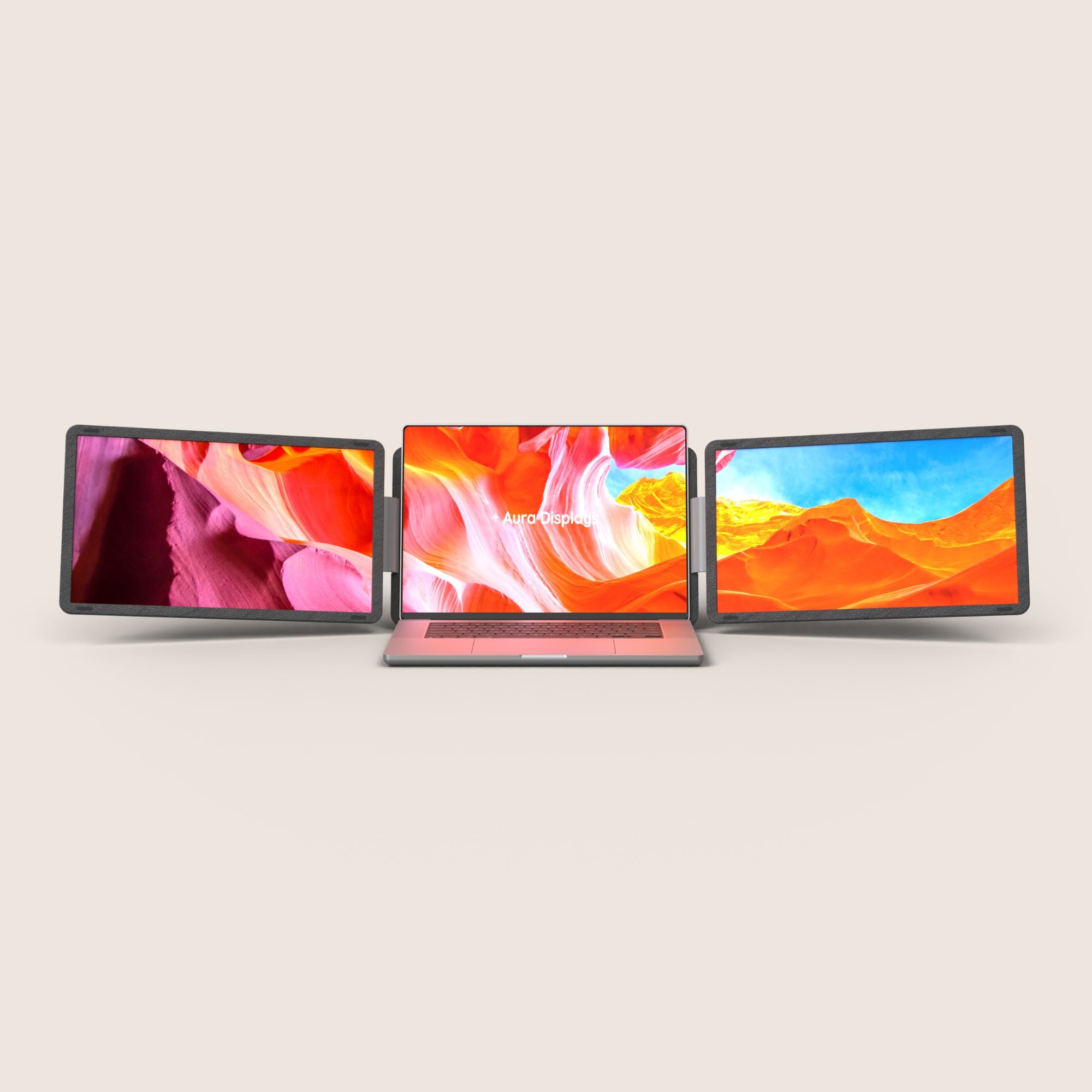
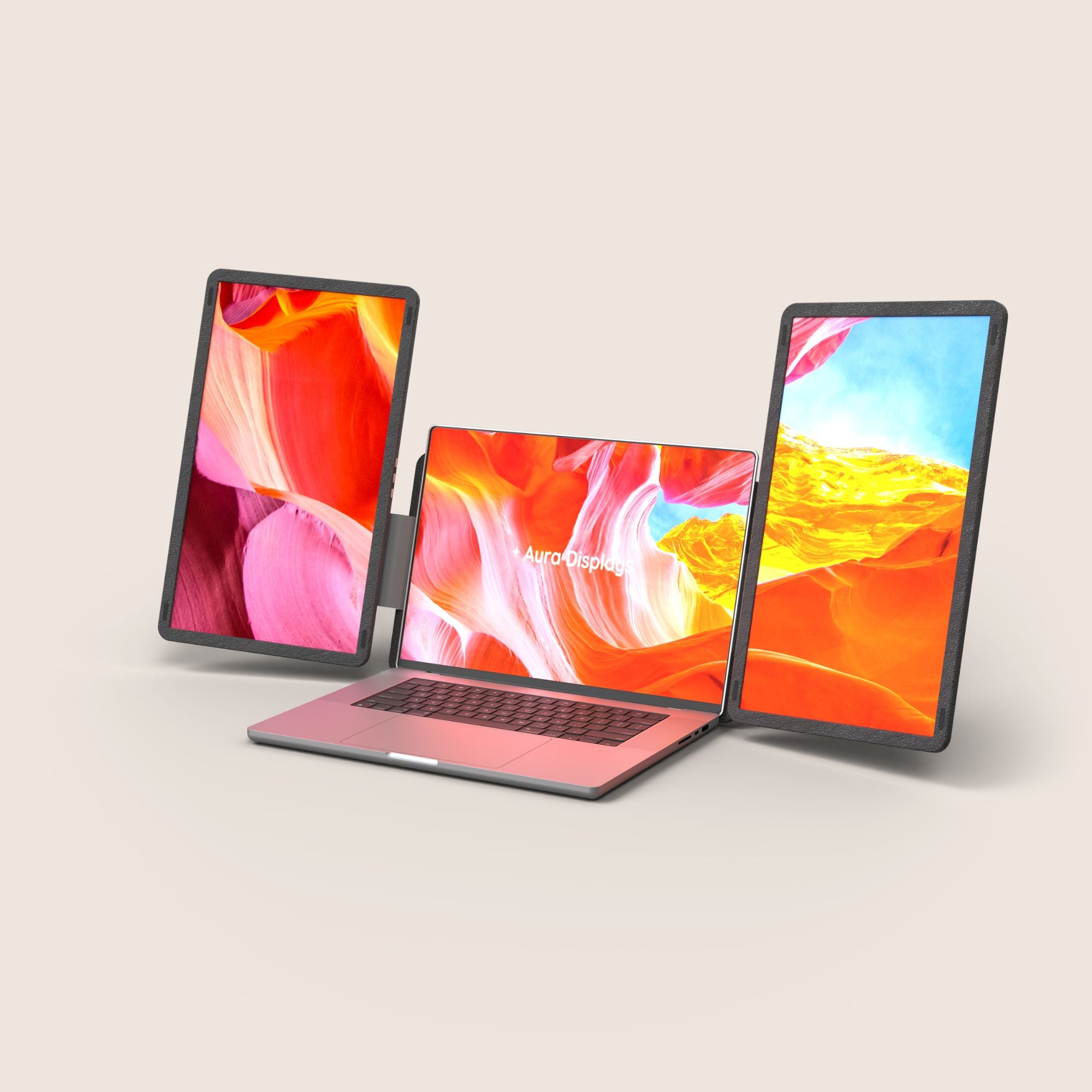
Introducing Dual Snap, the most versatile dual-screen system ever built. Crafted for maximum flexibility, it features two detachable displays that can be used together, independently, in landscape or portrait mode — adapting instantly to your workflow.
Available in FHD, FHD+ and Ultra HD, Dual Snap delivers stunning clarity across every task. Each screen connects via USB-C for a seamless, plug-and-play experience, with no drivers required.
Compatible with 12” to 18.5” laptops, it also works effortlessly with gaming consoles — giving you a powerful setup for both work and play, anywhere.
From dual-screen productivity to fully modular setups, Dual Snap redefines what a portable workstation can be.
Display
Screen size:
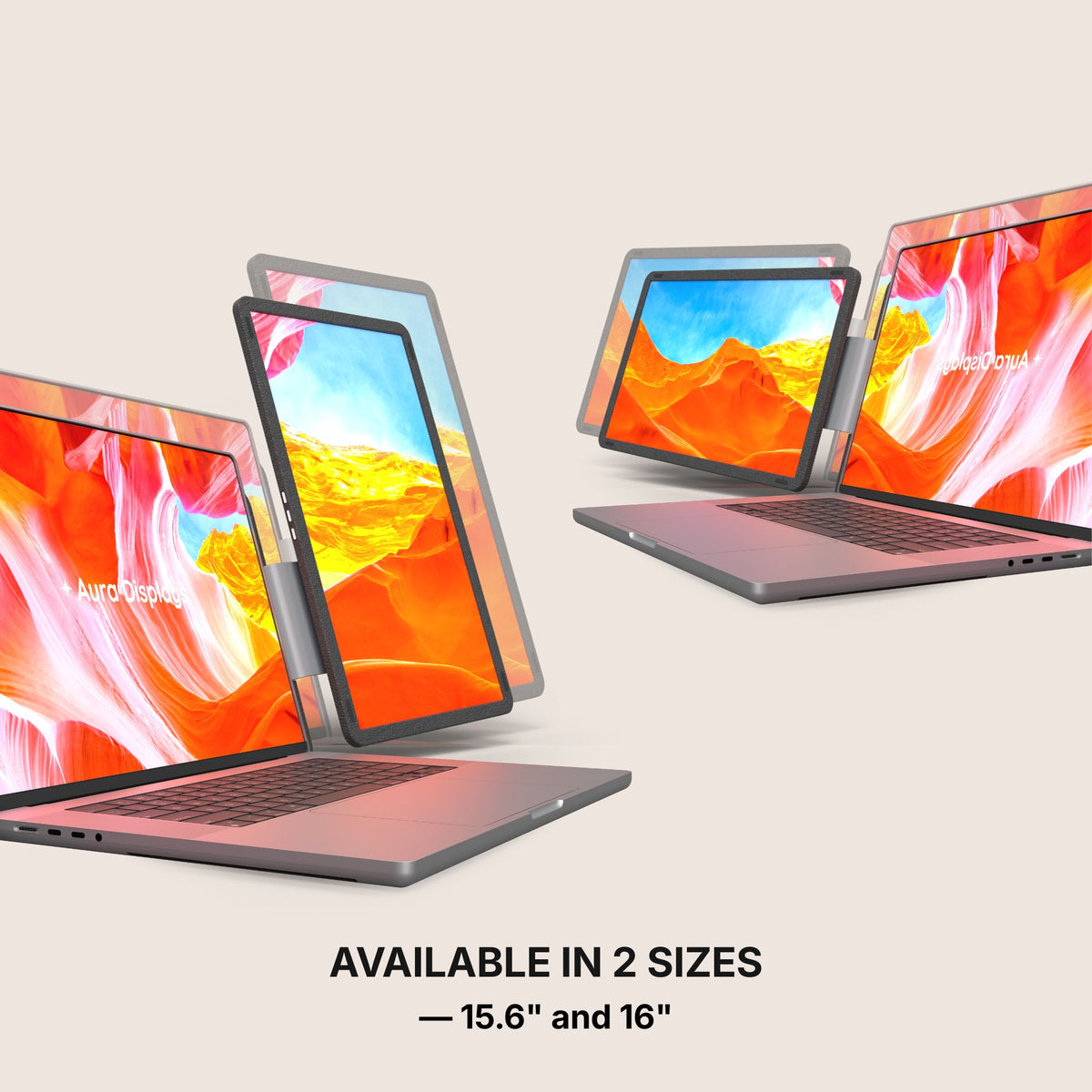
2x 15.6"
2x 16"
Resolution:
1920 x 1080 Full HD
1920 x 1200 Full HD+ 2.2K
2560 x 1440 QHD 2.5K
Aspect ratio:
16:9
16:10
Brightness: 300 Nits
Contrast: 1000:1
Technology: LED IPS Matte
Colors:
16.7 millions colors 45% NTSC
16.7 millions colors 100% sRGB
Refresh Rate: 60hz
All technical specifications can be found at the bottom of the page or here.
Connectivity & Compatibility
This portable monitor is compatible with virtually any laptop that has a USB port and he does not require driver installation to function properly.
Connectivity:
4x USB-C
2x mini HDMI
Only one USB-C port required (per display)
Operating systems:
MacOS
Windows
Linux
Android
ChromeBook
Surface
iPhone ( with USB-C port )
iPad ( with USB-C port )
Game consoles
Apple processor
Intel Processor
M1 PRO / M1 MAX
M2 PRO / M2 MAX
M3 PRO / M3 MAX
M4 PRO / M4 MAX
M5 PRO / M5 MAX
and above
Windows version
Windows 11 and above
Windows 10
Windows 8.1
Windows 7
All technical specifications can be found at the bottom of the page or here.
Product Guide and Download
Learn how to to set up, use, and care for Dual Snap, and get a comprehensive look at all the product’s features.
This portable monitor does not require driver installation to function properly.
All technical specifications can be found at the bottom of the page or here.
Pairs well with
Also available in our Refurbished Program
Our refurbished products are fully inspected, tested, and repackaged to perfection by our technical team, ensuring the same performance and reliability as a brand-new unit.
Enjoy up to 15% off while contributing to a more sustainable tech industry — because extending product life means reducing waste and protecting our planet.
Have questions? Our support team is ready to assist. Contact us anytime, and we’ll respond promptly. Chat available weekdays, 9am to 5pm (CET).
Shipping Information
We proudly ship worldwide to over 100 countries. Enjoy free shipping on orders over $100 during our current promotion.
Delivery typically takes 3-6 days. We partner with trusted carriers like DHL, FedEx, and UPS for a secure, tracked delivery experience.
Track my order
Once your order is dispatched, you’ll receive an email with a tracking number and link. You can track your package directly on the courier's website (DHL, FedEx, UPS, etc.). You’ll also receive a notification once your shipment is out for delivery. If you don’t see tracking details in your inbox, please check your spam folder.
Returns
For purchases made directly through our website, we offer a 14-day return policy from the delivery date. Accessories that come with your portable monitor can be returned, but separately purchased accessories are not included in this policy. If you purchased from another retailer, please contact them for return instructions.
If you decide the product is not for you, we’ll provide a full refund within 14 days, provided the product is unsealed and returned with all items from the original order. Refunds will be processed to the original payment method. Please note, our free return policy does not cover compatibility or driver issues if these were not verified prior to purchase.
Warranty
Every product we offer is backed by a one-year warranty, covering any manufacturing defects. Should you experience any issues within this period, simply reach out to our customer support team, and we’ll assist you with a repair or replacement.
Contact us
Have a question? Reach out via email through our contact form or chat directly with one of our agents.
Excellent 4.4|53 trusted reviews
Highlights.
The Dual Snap (Gen 1) is a remarkably immersive, laptop dedicated, portable monitor system, meticulously crafted by Aura Displays ✦
Discover the Dual Snap (Gen 1) series, the monitor engineered to deliver productivity wherever you go.
NEW: 16" Ultra
NEW: 16" Ultra
Screen Size: 16"
Resolution: QHD
Brightness: 300 nits
Aspect Ratio: 16:10
Laptop Match: 12" to 18.5"
Only one USB-C port required per screen to your laptop. No external power source required.
16" Plus
16" Plus
Screen Size: 16"
Resolution: Full HD+
Brightness: 300 nits
Aspect Ratio: 16:10
Laptop Match: 12" to 18.5"
Only one USB-C port required per screen to your laptop. No external power source required.
15.6"
15.6"
Resolution: Full HD
Screen Size: 15.6"
Brightness: 300 nits
Aspect Ratio: 16:9
Laptop Match: 12" to 18.5"
Only one USB-C port required per screen to your laptop. No external power source required.
Built to elevate your productivity
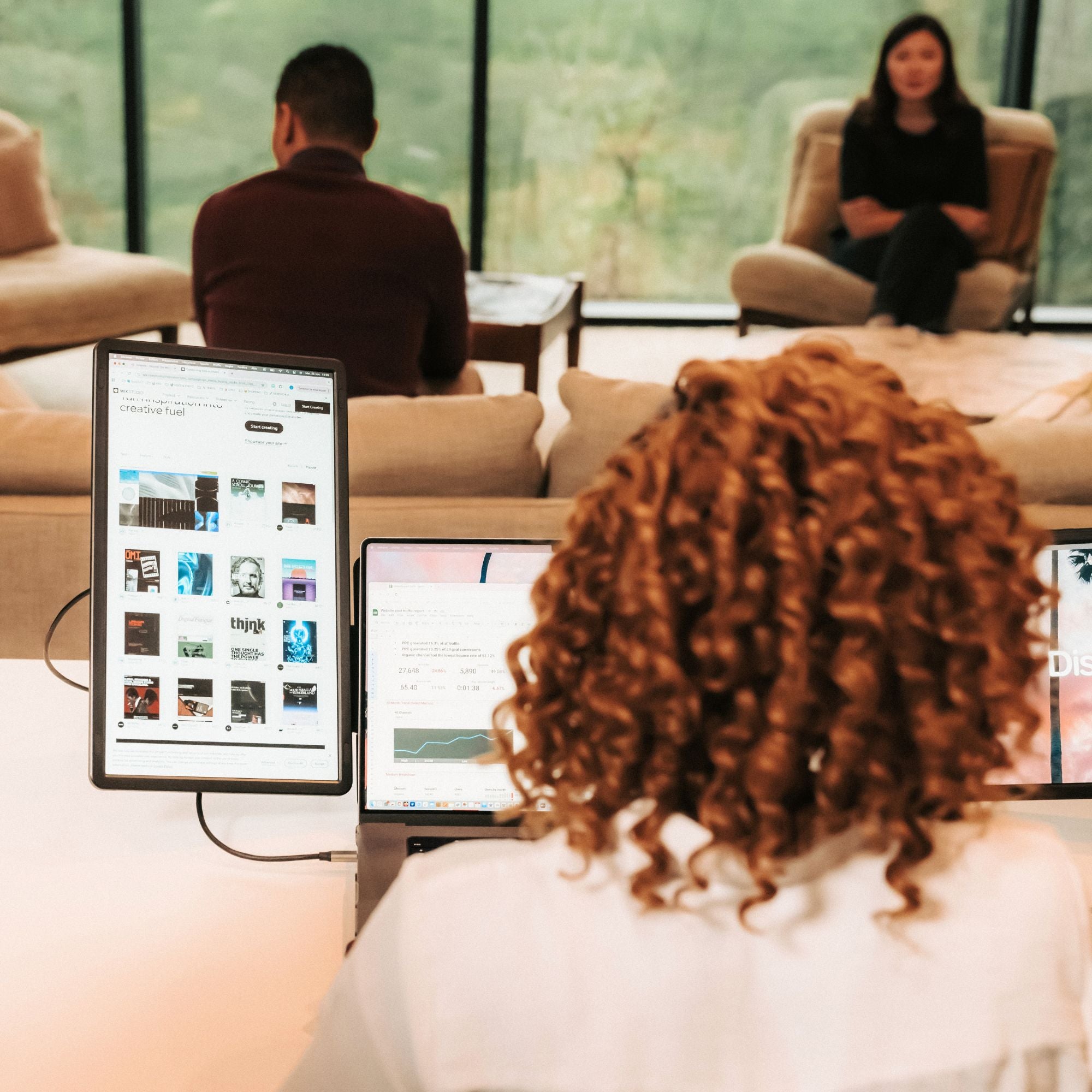
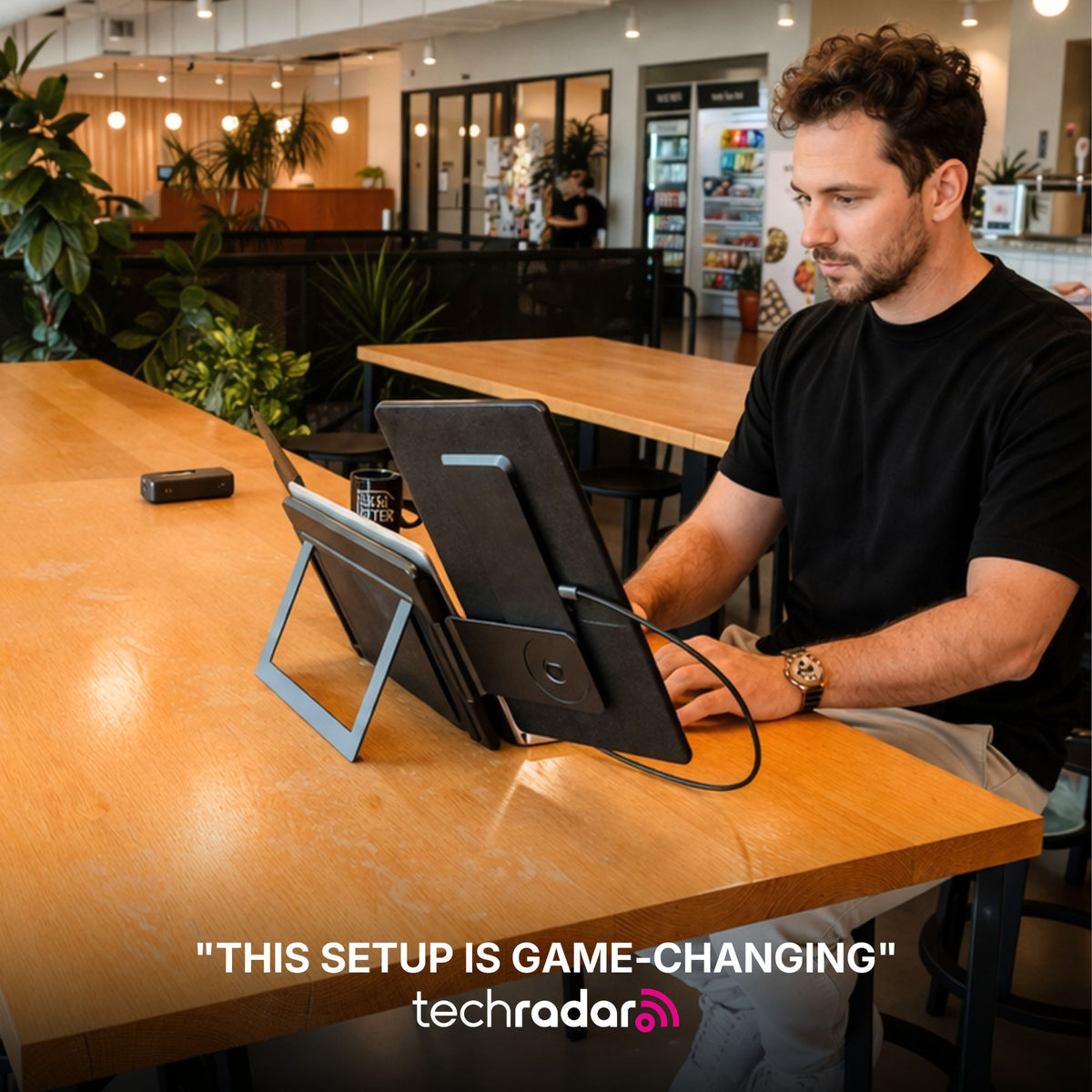
Landscape mode
Lose yourself in an immersive view, unlocking expansive display space for maximum productivity, multitasking, and an elevated visual experience.
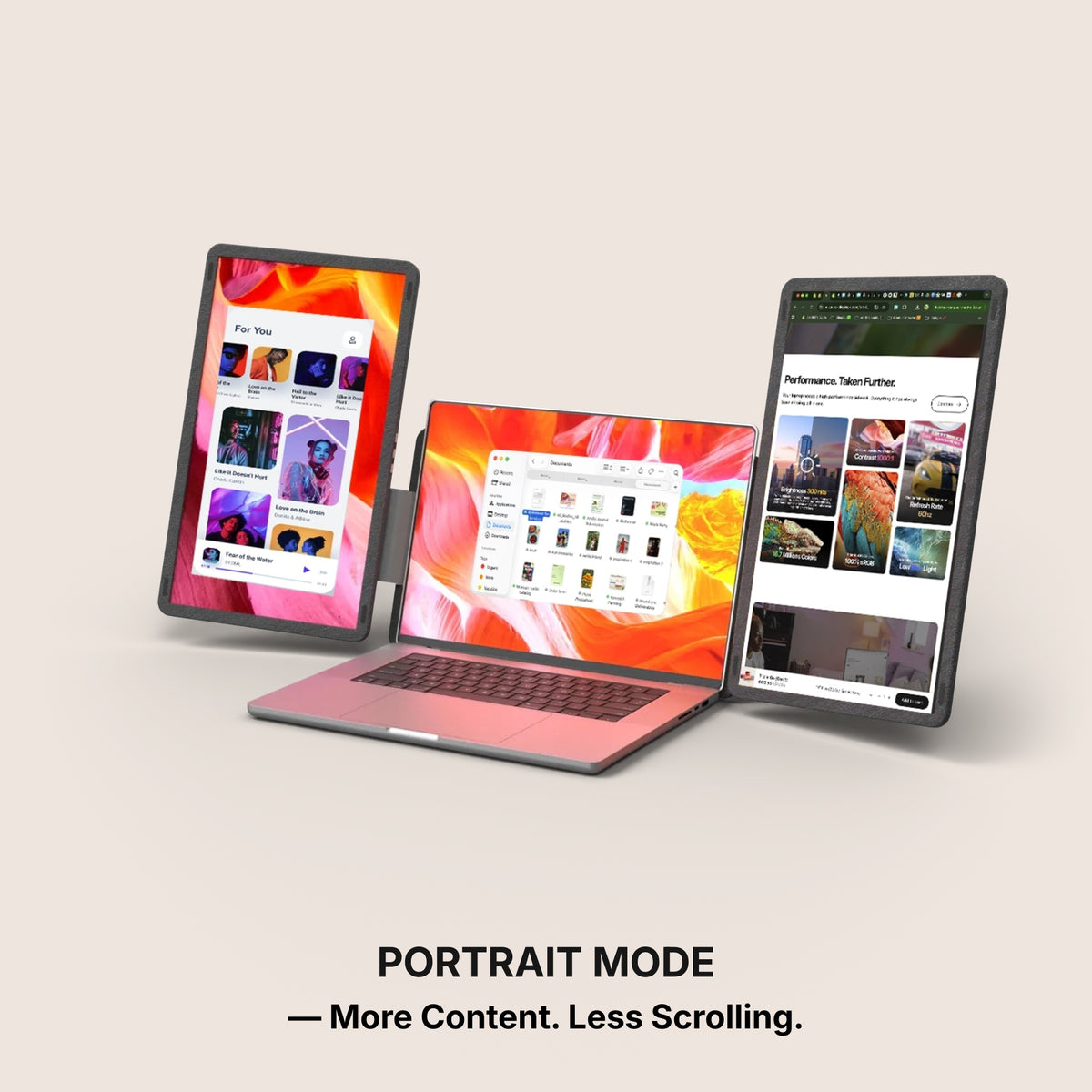
More Content. Less Scrolling.
Portrait mode
Switch to vertical mode for a taller display. Ideal for reading, coding, or viewing long documents, providing a fresh perspective on your workflow.
Work with one screen for simplicity
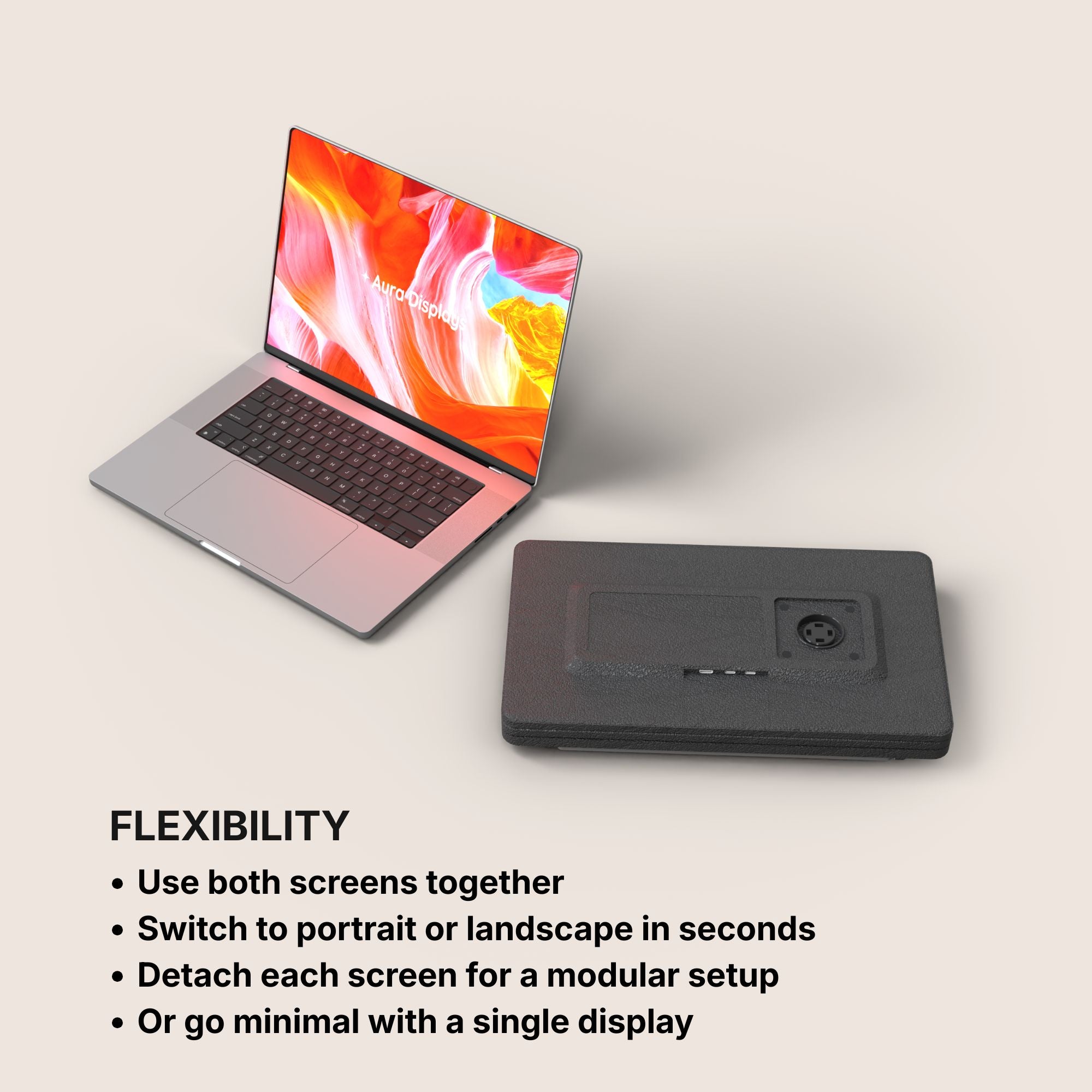
Single / Dual mode
Use just one or two screens for a minimal setup, or activate the second display to instantly expand your workspace.
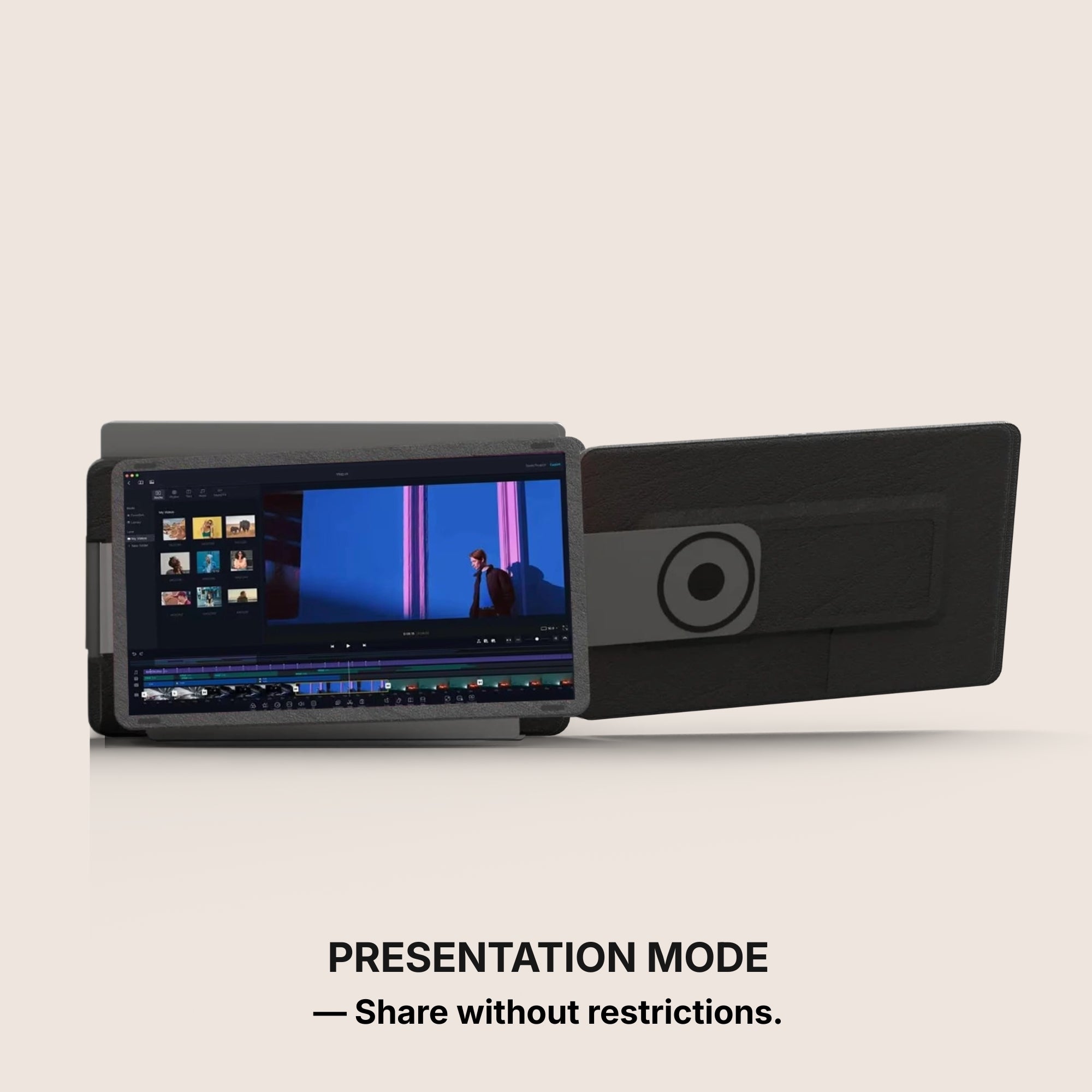
Share without restrictions.
Presentation mode
Own the conversation with a full 180° rotation. Effortlessly share your screen and adjust your display for flawless collaboration from any angle.
Set up in seconds.
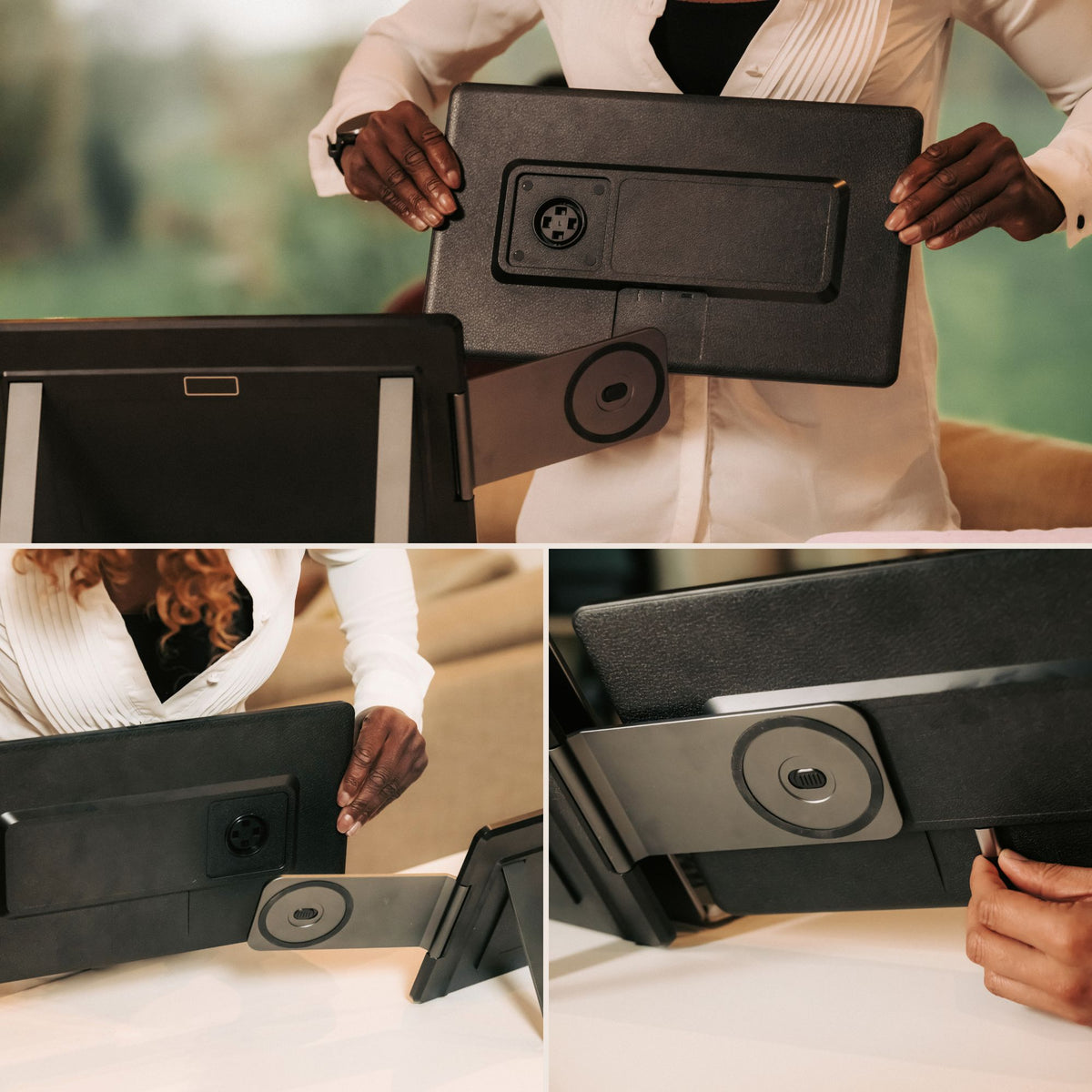
Unfold the stand
Open the screens
Connect it to your laptop via USB-C
You’re ready to work, play, and unwind.
Built to elevate your productivity
Landscape mode
Lose yourself in an immersive view, unlocking expansive display space for maximum productivity, multitasking, and an elevated visual experience.
More Content. Less Scrolling.
Portrait mode
Switch to vertical mode for a taller display. Ideal for reading, coding, or viewing long documents, providing a fresh perspective on your workflow.
Work with one screen for simplicity
Single / Dual mode
Use just one or two screens for a minimal setup, or activate the second display to instantly expand your workspace.
Share without restrictions.
Presentation mode
Own the conversation with a full 180° rotation. Effortlessly share your screen and adjust your display for flawless collaboration from any angle.
Set up in seconds.
Unfold the stand
Open the screens
Connect it to your laptop via USB-C
You’re ready to work, play, and unwind.
Designed to Do More.
Explore the features that make this monitor smarter, more versatile, and built to elevate the way you work and create.
Move Freely Across Screens
Instantly drag and transfer any window from one display to another for a smoother, faster multitasking experience.
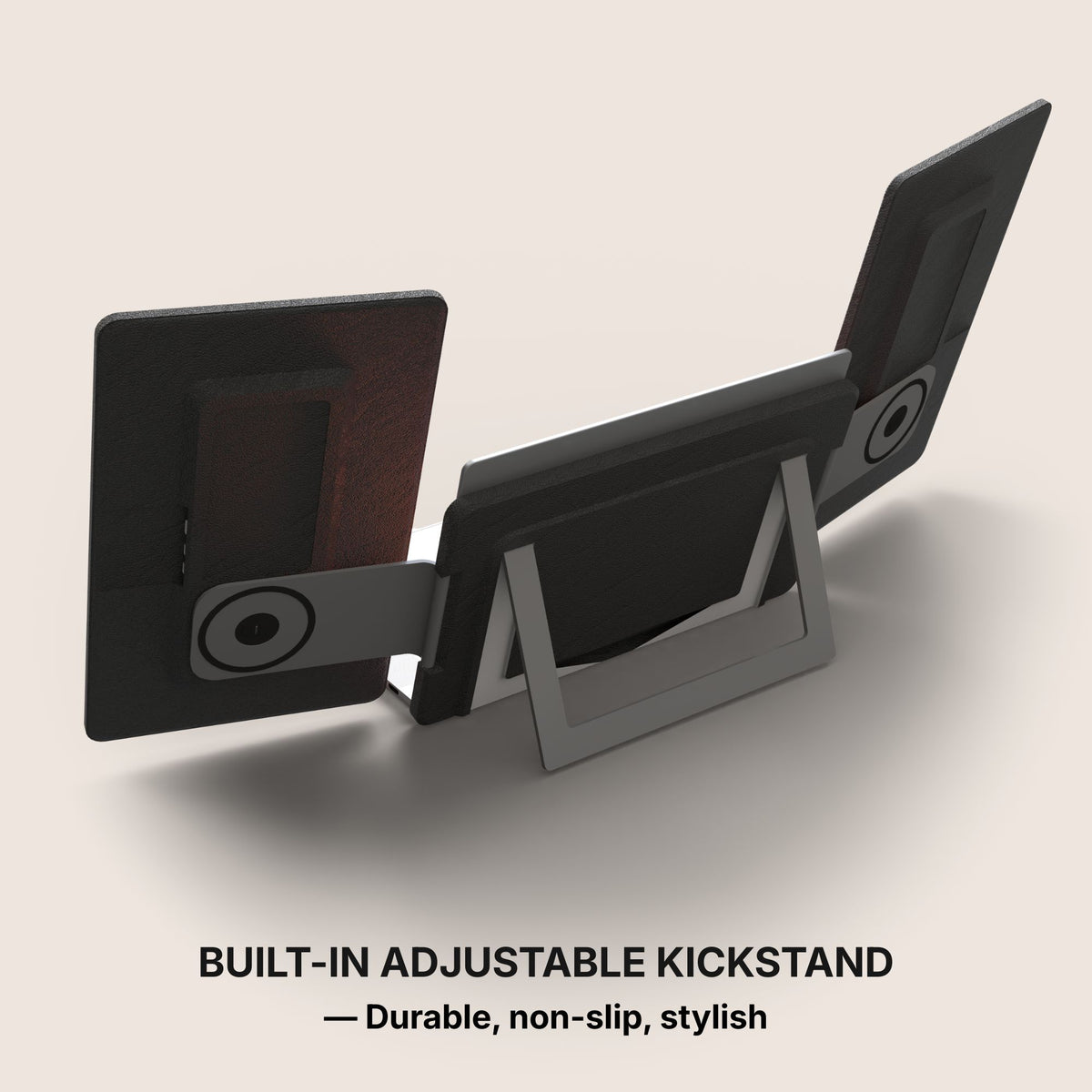
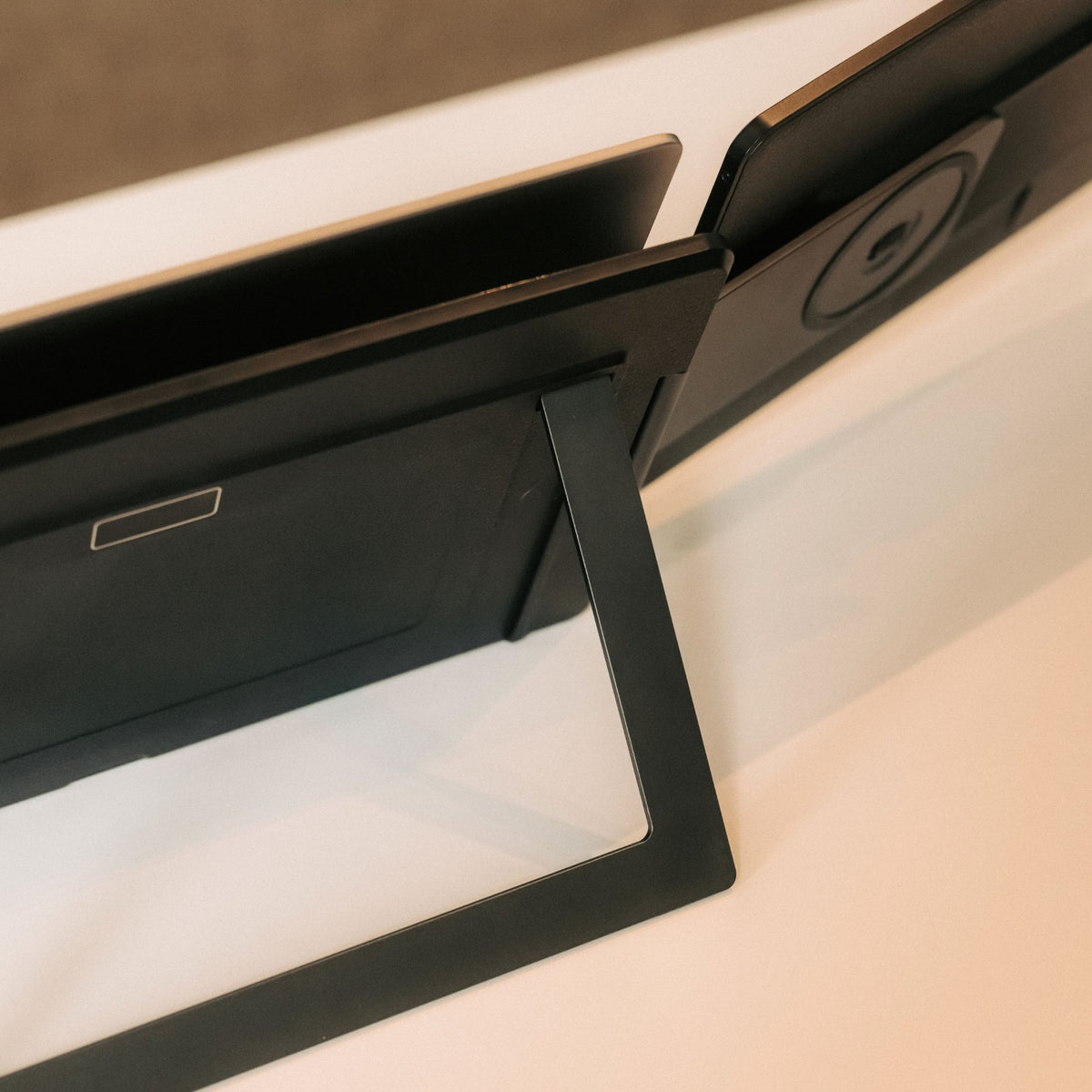
Integrated Stand
The monitor features a built-in stand, allowing you to position it easily and create a stable workspace anywhere. Its integrated design ensures quick setup and convenient use wherever you go.
Effortless Connection
Designed for simplicity, connecting your displays takes just seconds. Plug the cable, power on, and start working immediately.
Precision-Built Hinge
Engineered with an ultra-durable hinge system designed for maximum stability, smooth movement, and long-term reliability.
Single / Dual mode
Use just one or two screens for a minimal setup, or activate the second display to instantly expand your workspace.
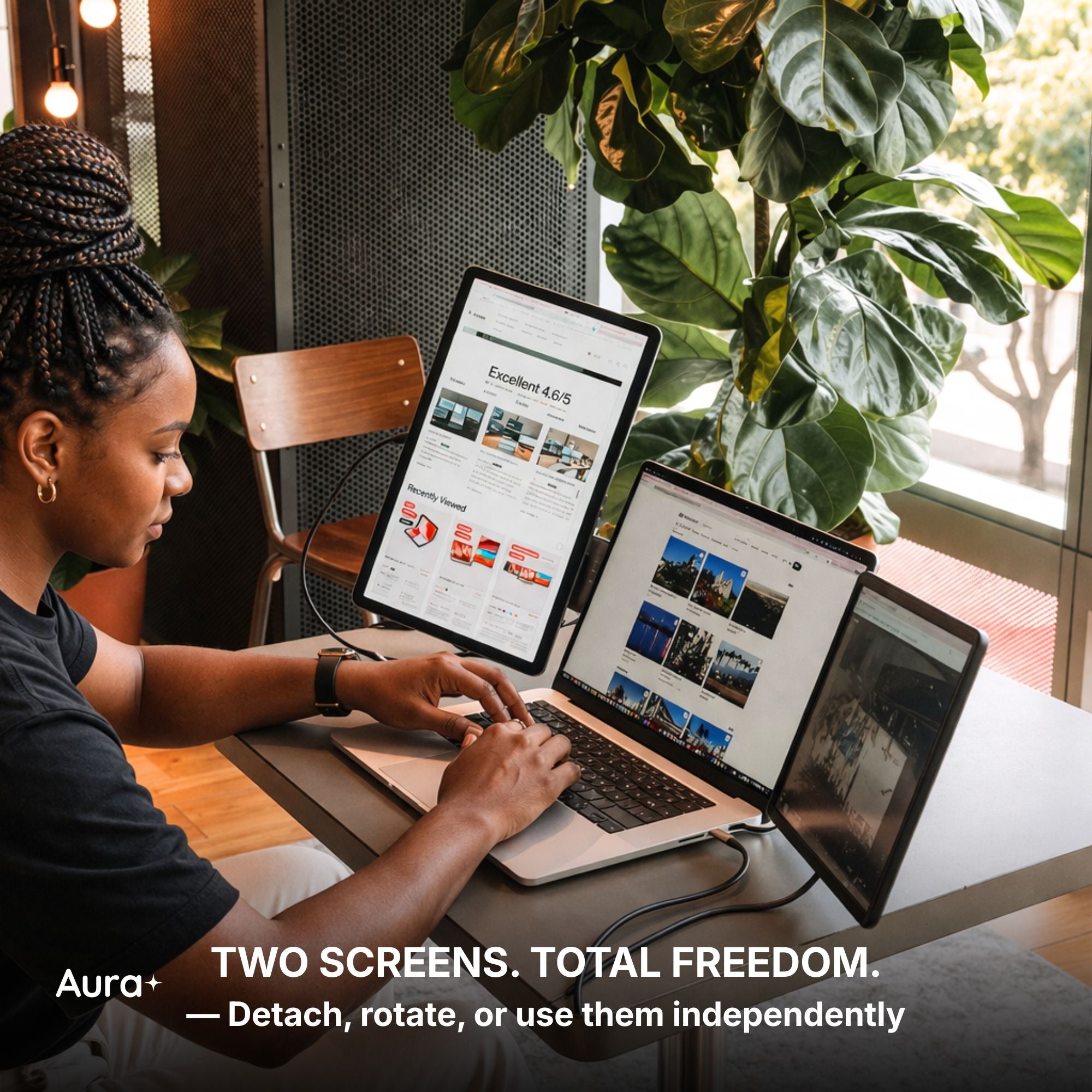
Detachable Displays
The screens can easily detach from their support, allowing them to be used independently. This flexible design lets you adapt your setup to different situations, whether you prefer a unified workspace or separate displays.
Available in Full HD, Full HD+ and QHD.
Brilliant visuals with spectacular clarity.
From bright outdoor spaces to dim studios — without missing a detail.
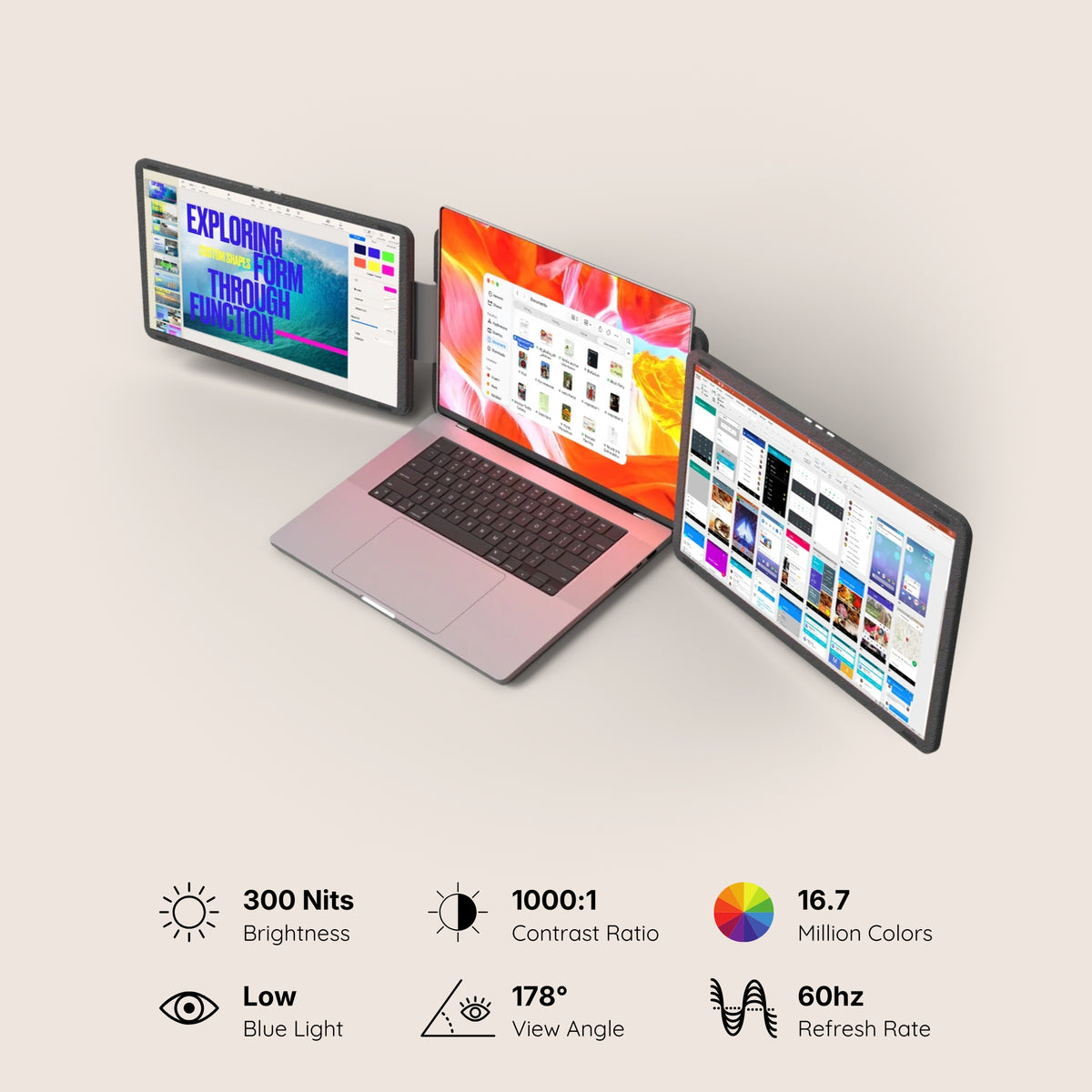
The stunning IPS HDR display of the Dual Snap (Gen 1) delivers up to 300 nits of brightness for excellent visibility even in bright environments, along with a 1000:1 contrast ratio that enhances depth and clarity.
The result: a screen that remains sharp, vibrant, and perfectly readable in virtually any lighting condition.
Performance. Taken Further.
Your laptop needs a high-performance sidekick. Everything it has always been missing, all in one.
Our displays integrate cutting-edge technologies such as HDR and Eye Care, delivering vibrant visuals while helping reduce eye strain during long working sessions.
Our portable monitors are designed to work seamlessly with a wide range of devices. Built for flexibility and ease of use, they integrate effortlessly into your setup, making it simple to expand your workspace wherever you work.
macOS
macOS
MacOS version:
MacOS 26 Tahoe and above
MacOS 15 Sequoia
MacOS 14 Sonoma
MacOS 13 Ventura
MacOS 12 Monterey
MacOS 11 Big Sur
MacOS 10.15 Catalina
MacOS 10.14 Mojave
MacOS 10.13 High Sierra
MacOS 10.12 / 10.11 / 10.10
Apple processor:
Intel Processor
M1 PRO / M1 MAX
M2 PRO / M2 MAX
M3 PRO / M3 MAX
M4 PRO / M4 MAX
and above
Windows
Windows
Windows 11 and above
Windows 10
Windows 8.1
Windows 7
Linux
Linux
Our portable monitors are fully compatible with all Linux distributions. Simply connect your device and start working — no special configuration required. Whether you're using Ubuntu, Debian, Fedora, or any other Linux system, your monitor integrates seamlessly into your setup.
Android
Android
Android 7.1 and above
When connected to an Android smartphone, the monitor will display a mirrored view of your device’s screen. This means the same content shown on your phone will appear on the external display, allowing you to easily share, present, or view your screen on a larger display.
Our portable monitors work with Android devices equipped with a USB-C port that supports video output. Depending on the device, the monitor may also need to be connected to a power supply for proper operation.
Game consoles
Game consoles
Playstation 5
Playstation 4
Playstation 3
Xbox Series S & X
Xbox One
Nintendo Switch 1
Nintendo Switch 2
All consoles with HDMI connection
The Nintendo Switch 1 and 2 can connect to our portable monitors via USB-C or HDMI.
All other gaming consoles connect via HDMI, ensuring a simple and reliable setup for your gaming sessions.
Depending on the device, the monitor may also need to be connected to a power supply for proper operation.
iPad with USB-C
iPad with USB-C
Our portable monitors work with iPhone and iPad models equipped with a USB-C port. When connected, the display will mirror your device’s screen, allowing you to enjoy your content on a larger display.
Depending on the device, the monitor may also require an external power supply to operate properly.
iPhone with USB-C
iPhone with USB-C
Our portable monitors work with iPhone and iPad models equipped with a USB-C port. When connected, the display will mirror your device’s screen, allowing you to enjoy your content on a larger display.
Depending on the device, the monitor may also require an external power supply to operate properly.
Mac Mini
Mac Mini
Our portable monitors work seamlessly with the Mac mini. Simply connect the display using USB-C or HDMI to instantly expand your workspace and enjoy a larger, more productive setup.
Seamless Connectivity
Powered by advanced connectivity technologies, our portable monitors integrate effortlessly with your devices for a smooth and reliable experience.
Seamless Connectivity
Powered by advanced connectivity technologies, our portable monitors integrate effortlessly with your devices for a smooth and reliable experience.
USB-C
USB-C
One Cable. That’s All.
A single USB-C cable is all it takes to power the display and transmit video at the same time. No complicated setup, no extra cables — just plug in and instantly expand your workspace.
USB 3.0
USB 3.0
USB 3.0 Alternative Connection
If your laptop does not have a USB-C port, the monitors can also be connected using USB 3.0 cables. In this setup, one cable is used to transmit the data signal, while another provides the power needed to operate the screens, ensuring reliable performance even without USB-C.
HDMI
HDMI
HDMI Connection
Each screen can also operate using HDMI — simply connect one HDMI cable per display to transmit the video signal.
Since HDMI only carries the image, the monitor must also be powered separately, either through a USB-C connection or an external power supply.
Mixed Connectivity
It is also possible to use different connections for each screen. One display can be connected via USB-C, while the other operates through HDMI. This flexible setup allows you to adapt easily to the ports available on your device.
Designed for every workflow.
Whether you're a professional, creator, student, or gamer, this monitor adapts to your needs. Built for versatility and everyday productivity, it fits naturally into any workflow.
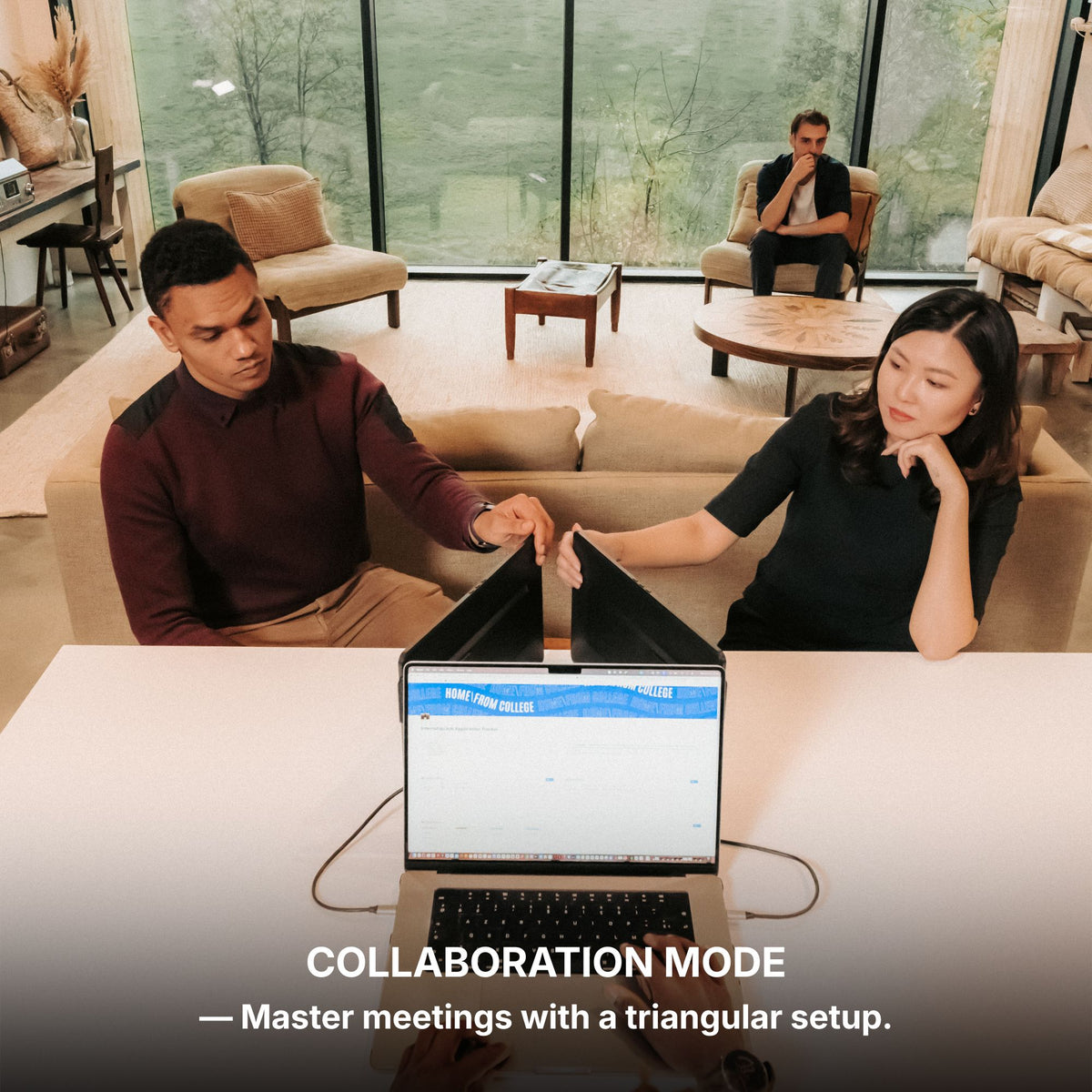
Redefining Multitasking.
With multiple displays working together, your workspace expands so you can manage more tasks, more ideas, and more productivity at the same time. Enjoy up to a 42% boost in productivity, save up to 4 hours each day, and experience 100% working comfort with a workspace designed to help you stay focused, efficient, and organized.
Ultra-Slim Design
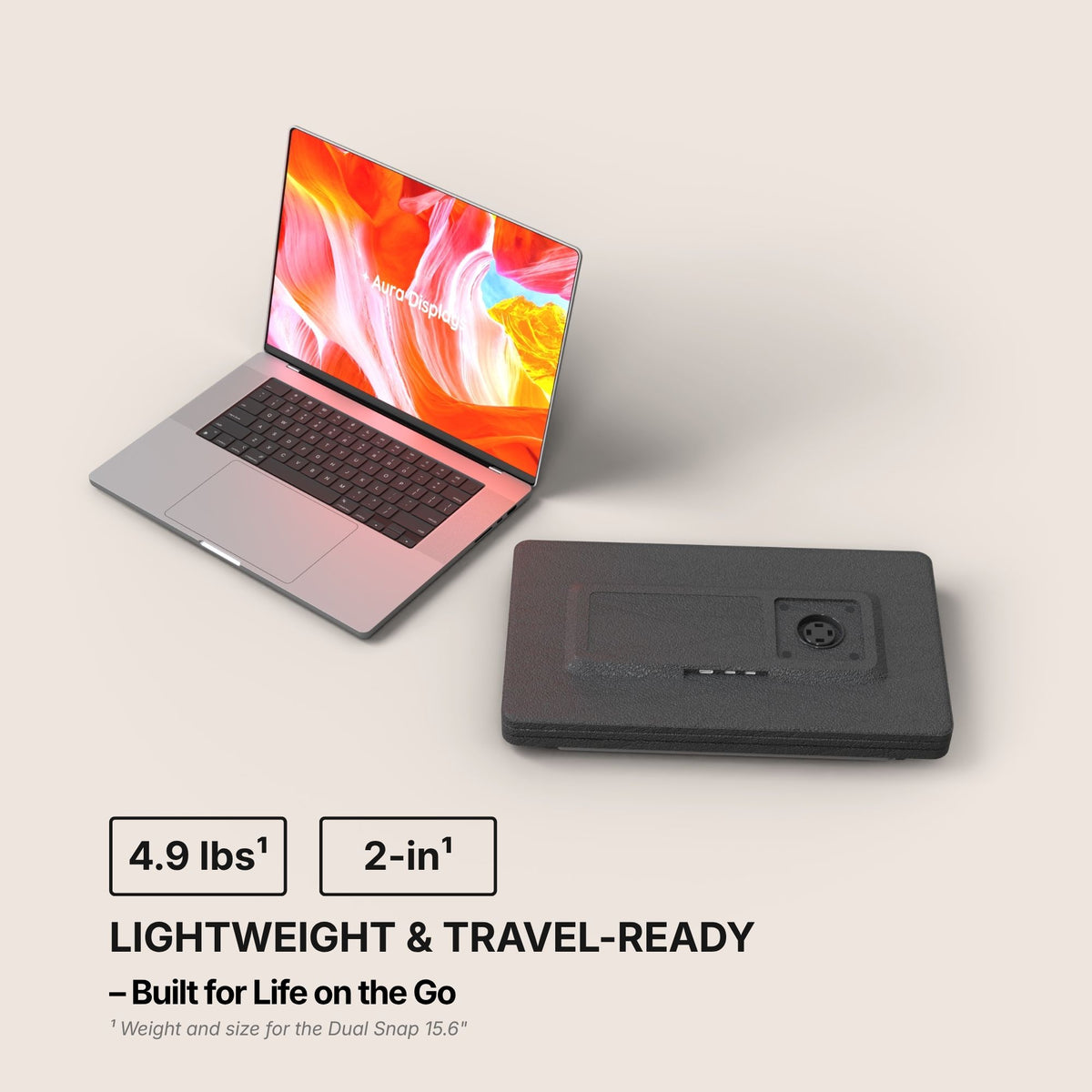
Designed to be incredibly thin and lightweight, this monitor fits effortlessly into your workspace and your bag.
With a thickness of just 2 inches¹ when closed and a weight of only 4.96 lbs¹, this monitor is designed to travel effortlessly with you — making it easy to take powerful screen space wherever you go.
Seen up close, our monitor is a mechanical and technological work of art. It is in the details that we see the expertise of the Aura Displays engineering team.
Multi-level Adjustable Foot
Multi-level Adjustable Foot
Durable Pro-Grade Hinges
Durable Pro-Grade Hinges
Composite Design
Composite Design
Built to last
Built to last
Designed with the planet in mind.
At Aura Displays, we believe innovation should move forward without leaving the planet behind. That’s why our products are thoughtfully engineered to reduce their environmental impact. From responsibly sourced materials to smarter packaging designed to minimize waste and improve recyclability, every detail is considered with sustainability in mind. Because building better technology also means building a better future.
Introducing Dual Snap, the most versatile dual-screen system ever built. Crafted for maximum flexibility, it features two detachable displays that can be used together, independently, in landscape or portrait mode — adapting instantly to your workflow.
Available in FHD, FHD+ and Ultra HD, Dual Snap delivers stunning clarity across every task. Each screen connects via USB-C for a seamless, plug-and-play experience, with no drivers required.
Compatible with 12” to 18.5” laptops, it also works effortlessly with gaming consoles — giving you a powerful setup for both work and play, anywhere.
From dual-screen productivity to fully modular setups, Dual Snap redefines what a portable workstation can be.
Product information
Rated 4.4/5 ★★★★★ based on 53 verified reviews. Real people, real results. Explore authentic testimonials from those who have benefited from Dual Snap (Gen 1).
Estimated delivery: 5 to 8 days
Product category
Dual monitor
Portable monitor
USB monitor
HDMI monitor
Available color(s)
Midnight Black
Materials
Composite
Laptop Match
12" to 18.5"
Vesa system
No
Speaker(s)
No
Product size unfolded
Dual Snap 16" Plus and Ultra:14.68 x 9.6 x 2 inch / 373 x 244 x 51.4 mm
Dual Snap 15.6": 14.56 x 8.66 x 2 inch / 370 x 220 x 51.4 mm
Product size folded
Product weight
Dual Snap 16" Plus and Ultra: 5.29 LBS / 2.4 KG
Dual Snap 15.6": 4.96 LBS / 2.25 KG ( 15.6")
Battery
No built-in battery
Autonomy: /
Software
No Software required
Plug and Play
Certifications
Consumer Electronic (CE)
Federal Communications Commission (FCC)
Restriction of Hazardous Substances in Electrical and Electronic Equipment (ROHS)
Energy Label (A)
Display
Display size
Dual Snap 16" Plus and Ultra: 2x 16"
Dual Snap 15.6": 2x 15.6"
Display type
Matte
IPS
LED
Resolution
Dual Snap 16" Plus: Full HD+ 1920 x 1200 2.2K
Dual Snap 16" Ultra: Ultra HD 2560 x 1440 2.5K
Dual Snap 15.6": Full HD 1920 x 1080
Brightness
300 Nits
Contrast
1000:1
Colors
16.7 millions colors
45% NTSC (16" Plus & 15.6")
100 sRGB (16" Ultra)
Refresh rate
60hz
Aspect ratio
Dual Snap 16" Plus and Ultra: 16:10
Dual Snap 15.6": 16:9
Eye care mode
Yes
Visual angle
178°
Display rotation
Panoramic
Rotated (180°)
Portrait
Auto Sensing
No
Compatible Operating System
Dual Snap (Gen 1) is compatible with virtually any laptop that has a USB port.
Operating systems
MacOS
Windows
Linux
Android
ChromeBook
Surface
Game consoles
iPhone ( with USB-C )
iPad ( with USB-C )
Macos version
MacOS 26 Tahoe and above
MacOS 15 Sequoia
MacOS 14 Sonoma
MacOS 13 Ventura
MacOS 12 Monterey
MacOS 11 Big Sur
MacOS 10.15 Catalina
MacOS 10.14 Mojave
MacOS 10.13 High Sierra
MacOS 10.12 / 10.11 / 10.10
Apple processor
Intel Processor
M1 PRO / M1 MAX
M2 PRO / M2 MAX
M3 PRO / M3 MAX
M4 PRO / M4 MAX
and above
Windows version
Windows 11 and above
Windows 10
Windows 8.1
Windows 7
Gaming
Playstation 5
Playstation 4
Playstation 3
Xbox Series S & X
Xbox One
Nintendo Switch 1
Nintendo Switch 2
All consoles with HDMI connection
The Nintendo Switch 1 and 2 can connect to our portable monitors via USB-C or HDMI.
All other gaming consoles connect via HDMI, ensuring a simple and reliable setup for your gaming sessions.
Depending on the device, the monitor may also need to be connected to a power supply for proper operation.
Connectivity
4x USB-C ports
2x mini HDMI
One Cable to Your Laptop
Only one USB-C cable connected to your laptop is needed to transmit video and activate the screens.
However, the monitors must also be connected to an external power supply to provide the energy required for proper operation.
HDMI Connection
Each screen can also operate using HDMI — simply connect one HDMI cable per display to transmit the video signal.
Since HDMI only carries the image, the monitor must also be powered separately, either through a USB-C connection or an external power supply.
Mixed Connectivity
It is also possible to use different connections for each screen. One display can be connected via USB-C, while the other operates through HDMI. This flexible setup allows you to adapt easily to the ports available on your device.
Power Delivery
Only one USB-C port (by display) required to your laptop
It can work with 2 USB 3.0 ports
No external power source required
Setup & Requirements.
Easy installation (Plug and Play)
This monitor is fully plug and play, meaning no software, no drivers, and no complicated setup are required. Simply connect your device and start using your expanded workspace instantly.
OSD Menu
OSD menu features
Adjustable color
Adjustable brightness
Low Blue Light
Language
Eco-mode
DCR
Source
Timer
Sharpness
Product Guide and Download
Learn how to to set up, use, and care for Dual Snap (Gen 1), and get a comprehensive look at all the product’s features.
This portable monitor does not require driver installation to function properly.
All technical specifications can be found at the bottom of the page or here.
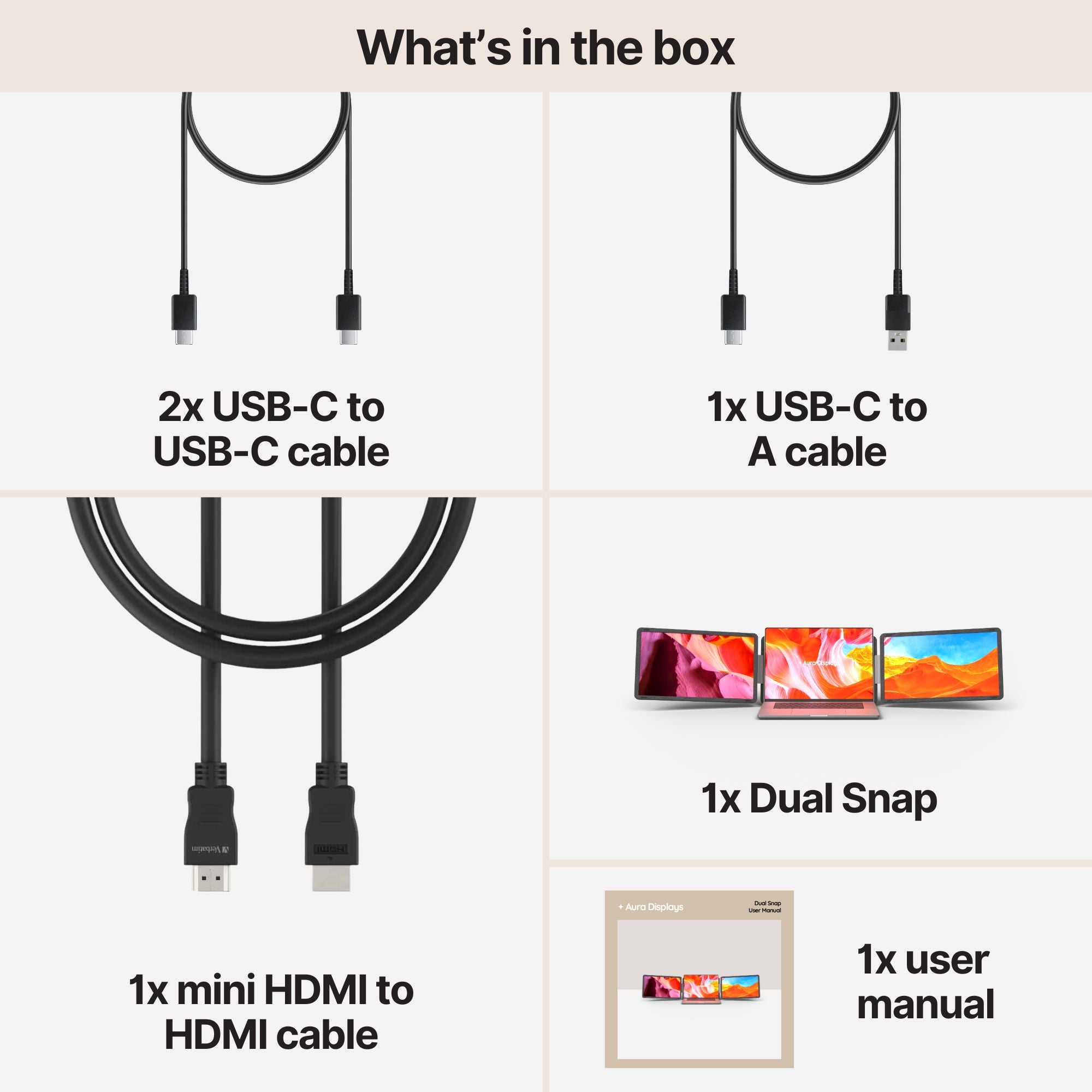
Included in the Box
1x Dual Snap (Gen 1)
2x Type-C to Type-C cable
1x mini HDMI to HDMI
1x Type-C to A cable
1x User Manual
Setup & Requirements.
Everything you need to know to get the most out of your device. From setup to connectivity, discover how our monitors are designed to integrate seamlessly into your workspace and deliver a smooth experience from the very first use.
This monitor is fully plug and play, meaning no software, no drivers, and no complicated setup are required. Simply connect your device and start using your expanded workspace instantly.
Plug & Play Collection
Discover all our Plug & Play monitors in this category. Designed for instant setup, these models work without any driver installation — simply connect your device and start using your expanded workspace in seconds.
not well thought out.
uses special cables, so that its difficult to connect laptops with all the ports on one side. it also has a problem: if you lose or damage a cable you need to throw away the screens. and the ;'screen protector' film is ****, had to remove it the day after installing it.
Hi Michael, thank you for your feedback. We're sorry to hear about the issues you've experienced. We’re here to help and would love to find a solution that works for you. Please feel free to reach out so we can assist further.
K
KaiDesk
ใช้งานดีมาก
ใช้กับโน้ตบุ๊ก Windows เวลาไปทำงานนอกบ้าน หน้าจอด้านหนึ่งเปิด Excel อีกด้านเปิดอีเมล ภาพคมชัดและต่อ USB-C ได้ง่ายมาก
G
Graham T.
Excellent modular idea
The main reason I chose this one is that the displays can be used together or separately. For my trading dashboard, I use one screen vertical for news and the other landscape for charts. Clear enough, no weird setup.
N
NoteBori
대학교 과제할 때 편해요
노트북 옆에 화면 두 개를 두고 자료와 문서를 동시에 볼 수 있어서 좋아요. 조금 무겁긴 하지만 집과 도서관에서 쓰기에는 충분히 편합니다.
M
Mateo L.
No pude usarlo bien
Mi portátil no tenía los puertos adecuados y terminé usando adaptadores que no funcionaron como esperaba. El producto parece bueno, pero para mi configuración fue demasiado complicado.
5 stars: 39 (74%)
4 stars: 7 (13%)
3 stars: 0 (0%)
2 stars: 3 (6%)
1 star: 4 (8%)
M
Michael S.
not well thought out
not well thought out.
uses special cables, so that its difficult to connect laptops with all the ports on one side. it also has a problem: if you lose or damage a cable you need to throw away the screens. and the ;'screen protector' film is ****, had to remove it the day after installing it.
Hi Michael, thank you for your feedback. We're sorry to hear about the issues you've experienced. We’re here to help and would love to find a solution that works for you. Please feel free to reach out so we can assist further.
K
KaiDesk
ใช้งานดีมาก
ใช้กับโน้ตบุ๊ก Windows เวลาไปทำงานนอกบ้าน หน้าจอด้านหนึ่งเปิด Excel อีกด้านเปิดอีเมล ภาพคมชัดและต่อ USB-C ได้ง่ายมาก
G
Graham T.
Excellent modular idea
The main reason I chose this one is that the displays can be used together or separately. For my trading dashboard, I use one screen vertical for news and the other landscape for charts. Clear enough, no weird setup.
N
NoteBori
대학교 과제할 때 편해요
노트북 옆에 화면 두 개를 두고 자료와 문서를 동시에 볼 수 있어서 좋아요. 조금 무겁긴 하지만 집과 도서관에서 쓰기에는 충분히 편합니다.
M
Mateo L.
No pude usarlo bien
Mi portátil no tenía los puertos adecuados y terminé usando adaptadores que no funcionaron como esperaba. El producto parece bueno, pero para mi configuración fue demasiado complicado.
H
Hannah C.
Great for my Surface
I was worried my Surface Laptop would need some driver install, but it recognized the screens right away. I keep Notion on one display and Chrome on the other. It feels like a proper workstation without buying permanent monitors.
M
Moritz H.
Sehr guter Reisebildschirm
Ich nutze den Dual Snap mit einem Dell Latitude. Ein Display ist im Hochformat für PDF-Dokumente, das andere im Querformat für Tabellen. Die Verbindung war einfach und die 15,6 Zoll Größe passt gut.
S
Sasha P.
Good for video calls and notes
I bought it for remote workshops. Zoom stays on my laptop, notes on the left screen and the agenda on the right. James from support answered my question about Windows compatibility before I ordered, which helped.
A
Amelia J.
Works well, feels sturdy
I was worried the detachable parts would feel fragile, but they don’t. The 15.6 inch size is a good balance for my backpack and the picture quality is clean enough for documents, dashboards and light photo sorting.
Q
QueueMango
Good for daily tickets
I work in customer support and usually have too many tabs open. With the dual portable screens I can keep the ticket queue on one side, order info on the other and notes in the middle. It makes the day feel less chaotic.
L
LevelLedger
Works with my console too
I bought it for work, but tried one screen with my console in the bedroom and it worked. During the week I use both screens with my laptop for spreadsheets and browser tabs. Nice little bonus.
E
Elena S.
Molto comodo
Lo uso con un MacBook Air per lavoro amministrativo. Metto email a sinistra e fatture a destra, mentre sul laptop tengo il gestionale. Non pensavo mi sarebbe servito così tanto.
A
Alex f.N.
Très pratique au bureau
Mes collègues ont rigolé quand je suis arrivé avec deux écrans portables, puis ils ont tous voulu essayer. Je garde le CRM sur un écran et les devis sur l’autre. Franchement, ça change le rythme de travail.
V
Victor C.
Nice surprise
The packaging felt more premium than I expected and setup took maybe five minutes. I use the Aura dual screen mostly for trading dashboards and email, not heavy gaming, and the 60Hz screens are totally fine for that.
I was unsure whether my work computer would need a driver, so I asked support first. Patrick replied quickly and explained that this model is plug and play per screen. Ordered it after that and it worked fine with my Lenovo.
A
Andres M.
Mejor de lo esperado
Lo compré para trabajar desde coworkings. Uso una pantalla para hojas de cálculo y la otra para el navegador, y si la mesa es pequeña puedo quitar una. Esa parte modular me parece muy inteligente.
N
Nora B.
simple and useful
Two screens, one bag, less mess.
C
CutPage77
Solid for video editing
I use DaVinci Resolve on my laptop, clips on one screen and notes/chat on the other. It is not replacing a full studio monitor, obviously, but for quick edits while traveling it is much better than working cramped on one display.
L
Lukas R.
Sehr angenehmes Arbeiten
Ich nutze den Snap Monitor mit einem ThinkPad im Homeoffice. Ein Bildschirm ist hochkant für Dokumente, der andere quer für Tabellen. Die Verbindung über USB-C war sofort erledigt.
R
Rafa D.
Boa compra
Comprei para viagens de trabalho e gostei bastante. Não é o acessório mais leve do mundo, mas a produtividade compensa quando preciso comparar planilhas e responder e-mails no hotel.
M
Marco F.
ottimo in coworking
Lo uso con un Asus ZenBook quando lavoro fuori casa. I due schermi separati sono comodi, soprattutto perché posso girarne uno in verticale per leggere documenti lunghi.
P
PixelCarry
Clean portable workstation
The 2 screen setup makes my laptop feel like a real desk. I use Figma on one display, the preview window on the other, and messages on the laptop. The matte panel helps when I’m near a window.
C
Casey M.
Surprisingly good for games
I used one of the screens with my Switch for a weekend trip, then switched back to the full dual setup for work on Monday. Nice to have something that is not only for office tasks.
J
Jules_work
Bon mais un peu lourd
Très pratique pour travailler avec deux fenêtres, mais je le pensais plus léger dans le sac. Pour la maison ou le coworking c’est top, pour marcher longtemps avec, moins.
M
Monica P.
Better than expected
I bought this for remote customer support work. Zendesk stays on one screen, Shopify order pages on the other, and my laptop keeps the internal notes open. The screens feel sturdier than I expected, and the modular setup is actually useful, not just a marketing thing.
I asked about compatibility before ordering because my company blocks driver installs. Kimberly replied that this model was plug and play with USB-C, and she was right. It worked on my Surface Laptop without calling IT.
B
BuildLoop_91
Works for coding
VS Code left, browser right, laptop terminal.
C
Camila V.
Me sirve mucho
lo uso con mi portátil HP cuando trabajo desde cafeterías. Me gusta poder llevar solo una pantalla algunos días y las dos cuando tengo más espacio. La imagen es clara y no tuve que instalar nada.
R
Rebecca T.
My team asked about it
Brought it to the office once and two coworkers asked for the link. It’s a clean way to turn a normal laptop into a real workstation without leaving monitors on the desk.
H
Hannes K.
Sehr praktisch fürs Büro
Ich nutze den Dual Snap mit meinem Lenovo ThinkPad. Beide Bildschirme wurden sofort erkannt, die matte Oberfläche ist angenehm und ich kann einen Bildschirm hochkant für Dokumente verwenden.
B
BackpackCalc
Nice but heavier than expected
The image is good and the matte finish is pleasant, but I underestimated the weight once it is in my backpack with the laptop and charger. I still use it at home, just not daily outside.
Choosing a selection results in a full page refresh.
Opens in a new window.
Jessica R.
Amazing screens!
I bought this set up because I work away from home for months at a time. I needed three large screens to work as fast as possible. The screens are so clear and the 18 1/2 inch is perfect size. You can adjust the height depending on your seating arrangement. I feel like I’m working from home. They’re very sturdy and a little hard to set up at first because they’re very heavy, but if you have help, it works so much quicker. They fold up nicely and fit in my suitcase easily. Well worth the money.
Triple Aero Pro Max (Gen 2)
Rebekah C.
Display is perfect but doesn't fit in the recommended 11-17” bag
Display is perfect but doesn't fit in the recommended 11-17” bag.
Triple Aero Pro Max (Gen 2)
Michael W.
I love the Gen 3 triple monitor system!! It was a solution to having to bring along extra monitors
I love the Gen 3 triple monitor system!! It was a solution to having to bring along extra monitors in our camper as we traveled full time. Easy to set up, sturdy, and great resolution. I wish I had bought these sooner, now everything can be packed into my backpack for easy storage and saving room. I would buy these again in a heartbeat!
Triple Go (Gen 3)
Teresa C.
Exactly what I needed.
These replace a my old setup that attached to my laptop. They were heavy and started damaging the laptop. Now that I have the Triple Aero Pro I no longer have that issue. Now I just need to remember how to grab a file from my main screen and drop it to the left screen since I keep forgetting I have to move the mouse up and over and not just over.
Triple Aero Pro Max (Gen 2)
Siavesh M.
Fanatic product
Fanatic product,
High quality materials
Great display quality and bright
Easy connection with single cable
I’m very satisfied with Aura