






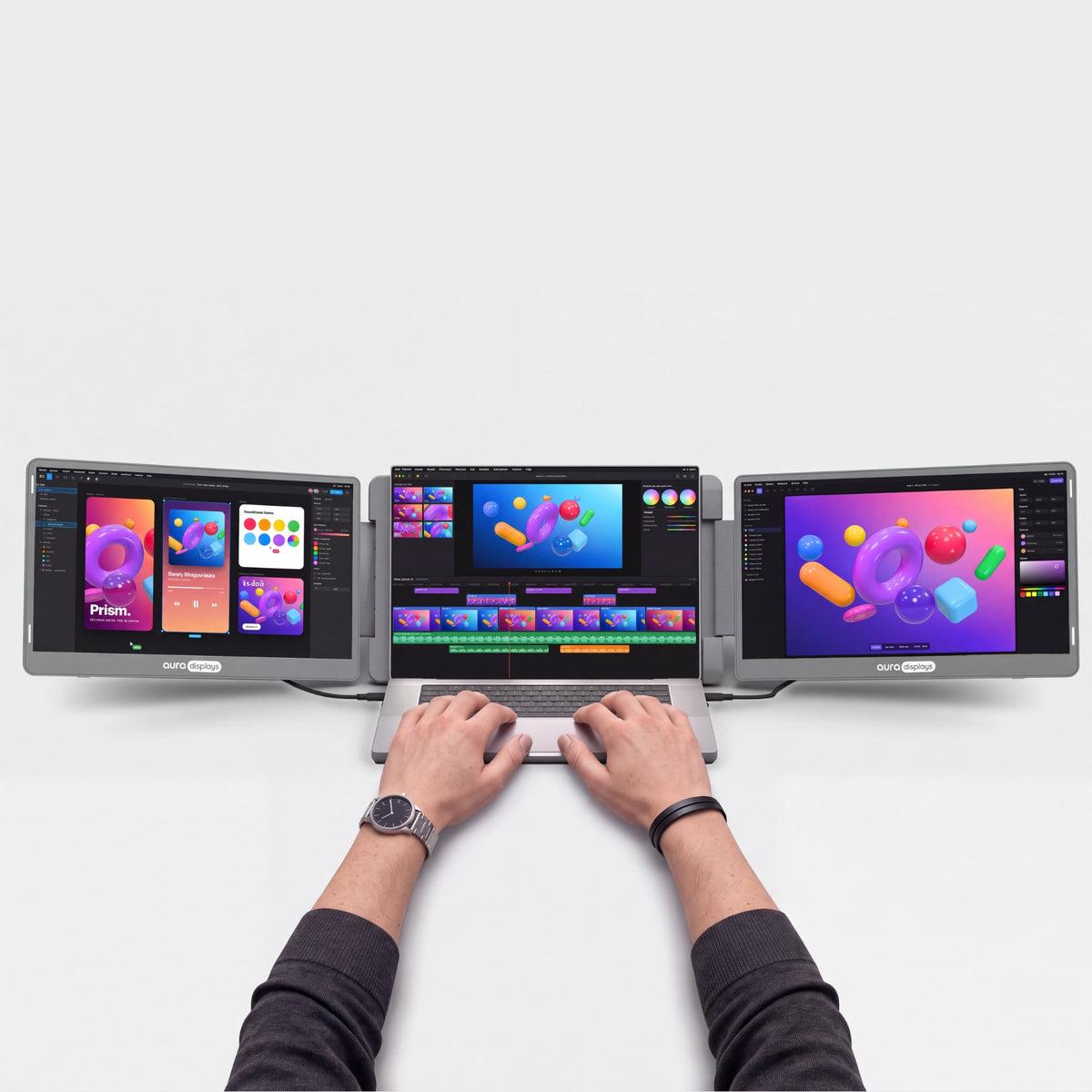


Dual Go 14” Ultra (QHD 2.5K)
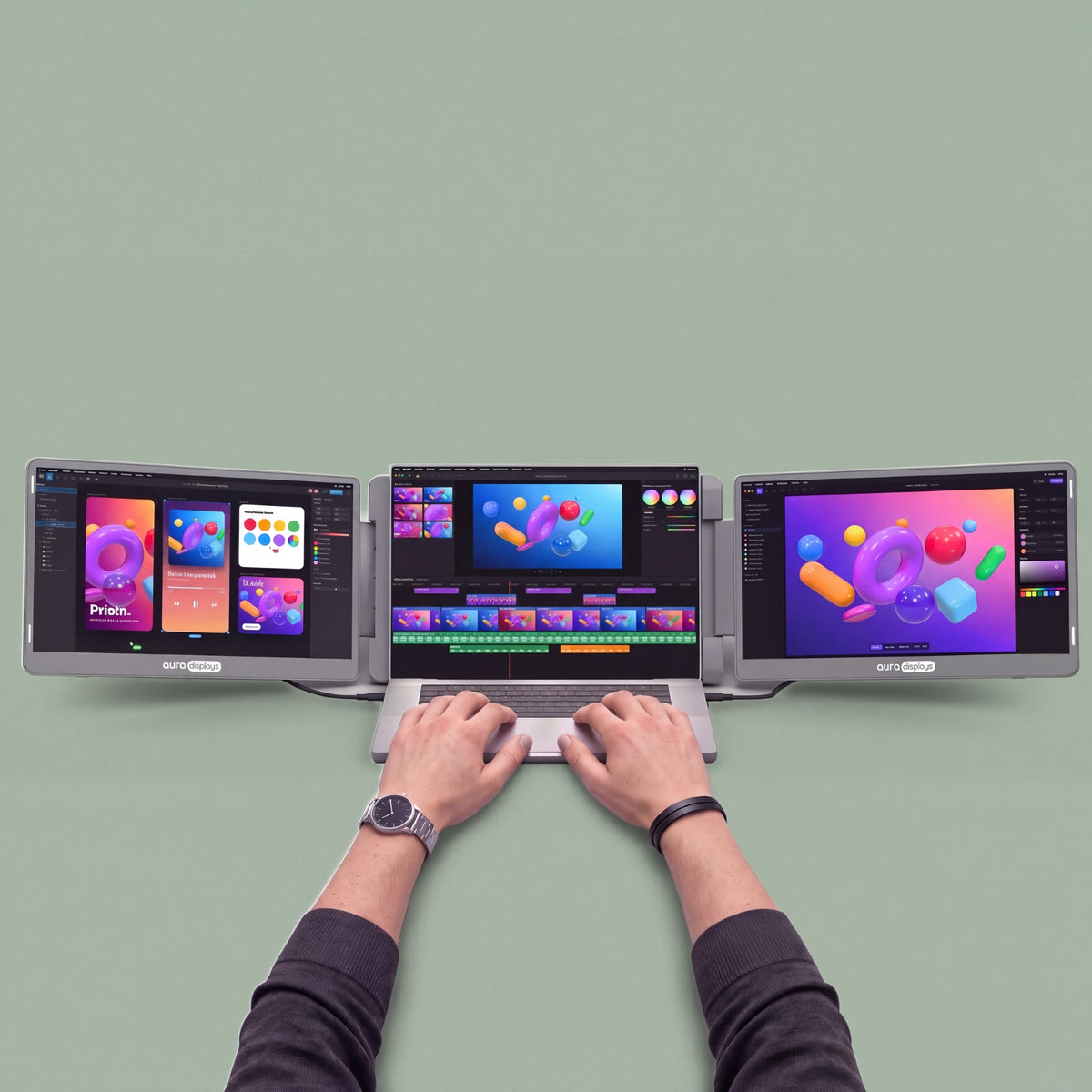
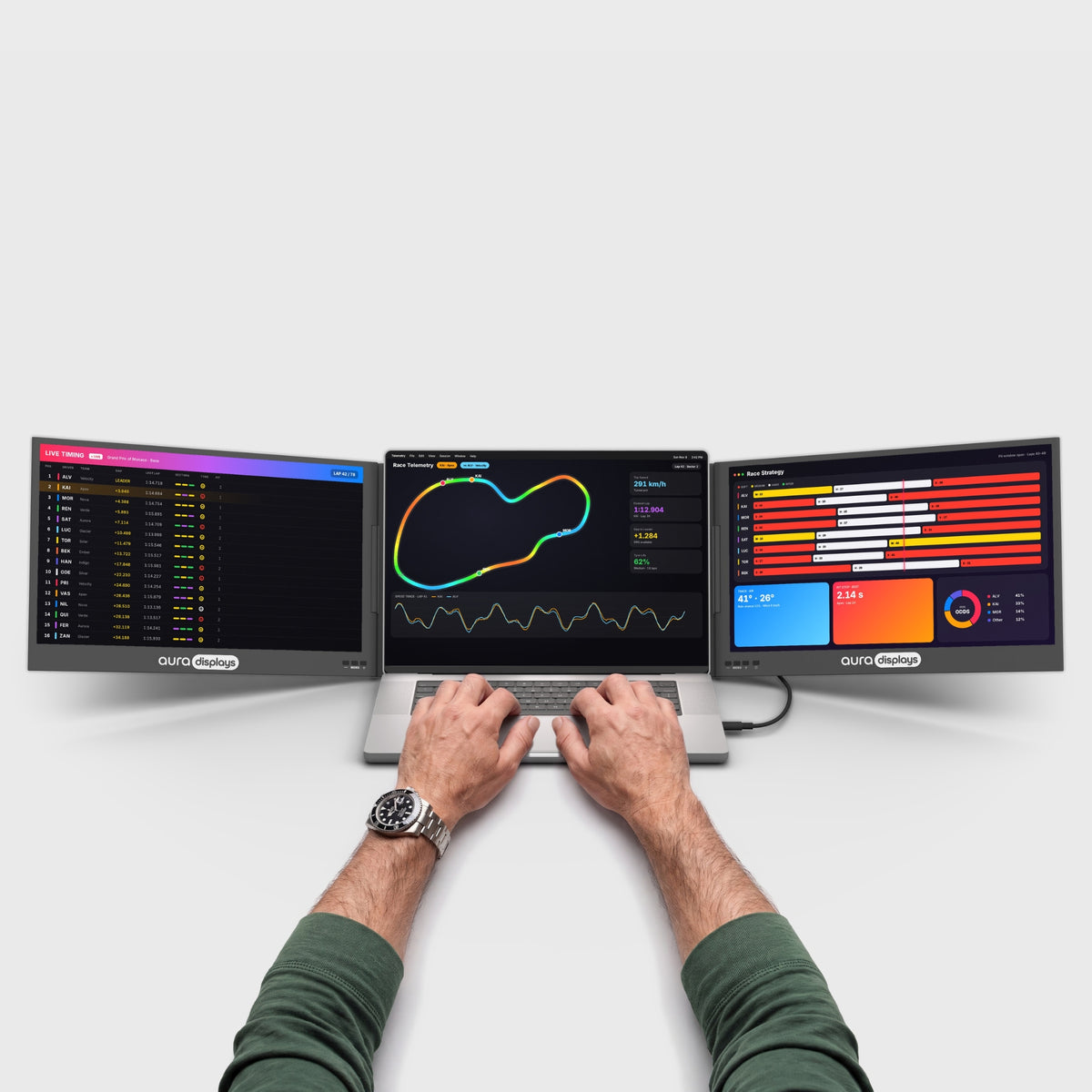
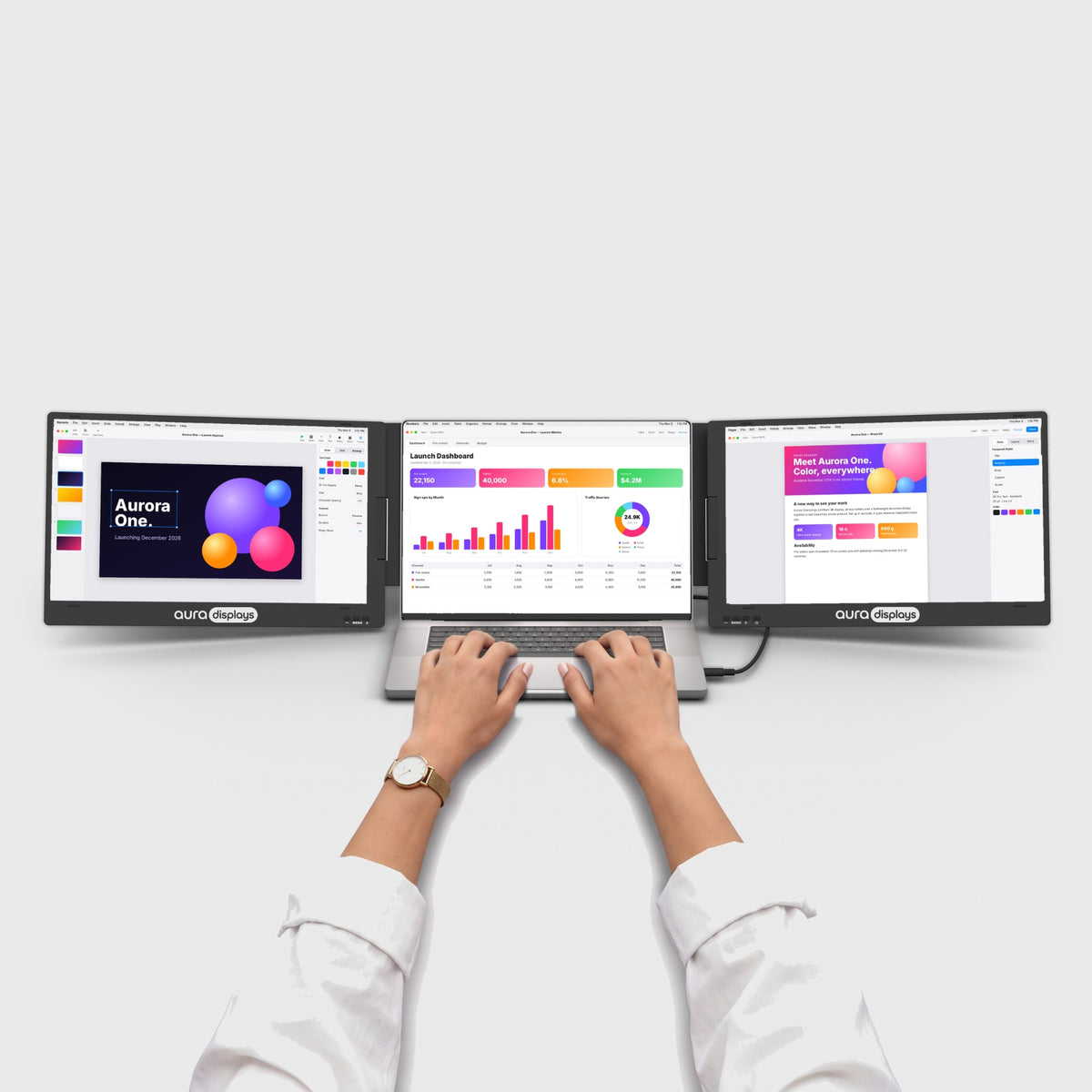
Dwa ekrany QHD 14" na własnej podstawie.
Przed zakupem
- Plug & Play, bez sterownikaPodłączasz i działa. Bez instalacji, bez uprawnień administratora.
- Gniazdko elektryczne niepotrzebneZasilanie z portu USB-C laptopa. Bez zasilacza do noszenia.
- Pasuje do laptopów 10"–16.5"Działa z Windows, macOS, Android and iOS.Sprawdź kompatybilność w 30 s →
- Waży 1.61 kg (3.55 lb)Po złożeniu: 346 × 219 × 39.6 mm (13.62 × 8.62 × 1.56 in). Mieści się w: standard laptop backpack.Zobacz lżejsze modele →


Gratis do Twojego zamówienia
Oszczędzasz €92,90-
 Tempered Glass Screen Protector2x 14" / 16:10
€0,00
€50,95 -
 Hub USB 8-in-1 87W PD
€0,00
€41,95


Dodawany automatycznie do koszyka razem z monitorem.
Przegląd
Przegląd
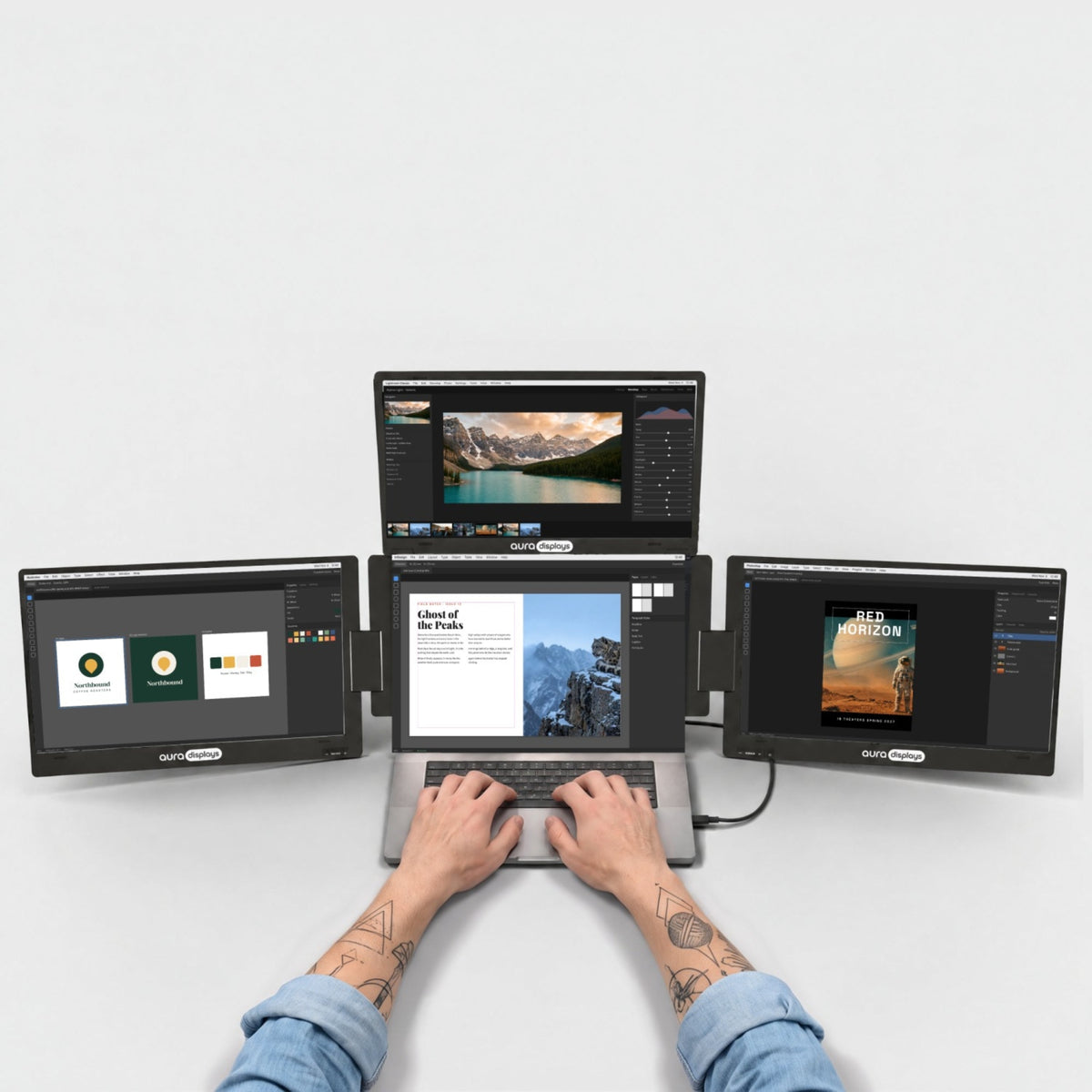
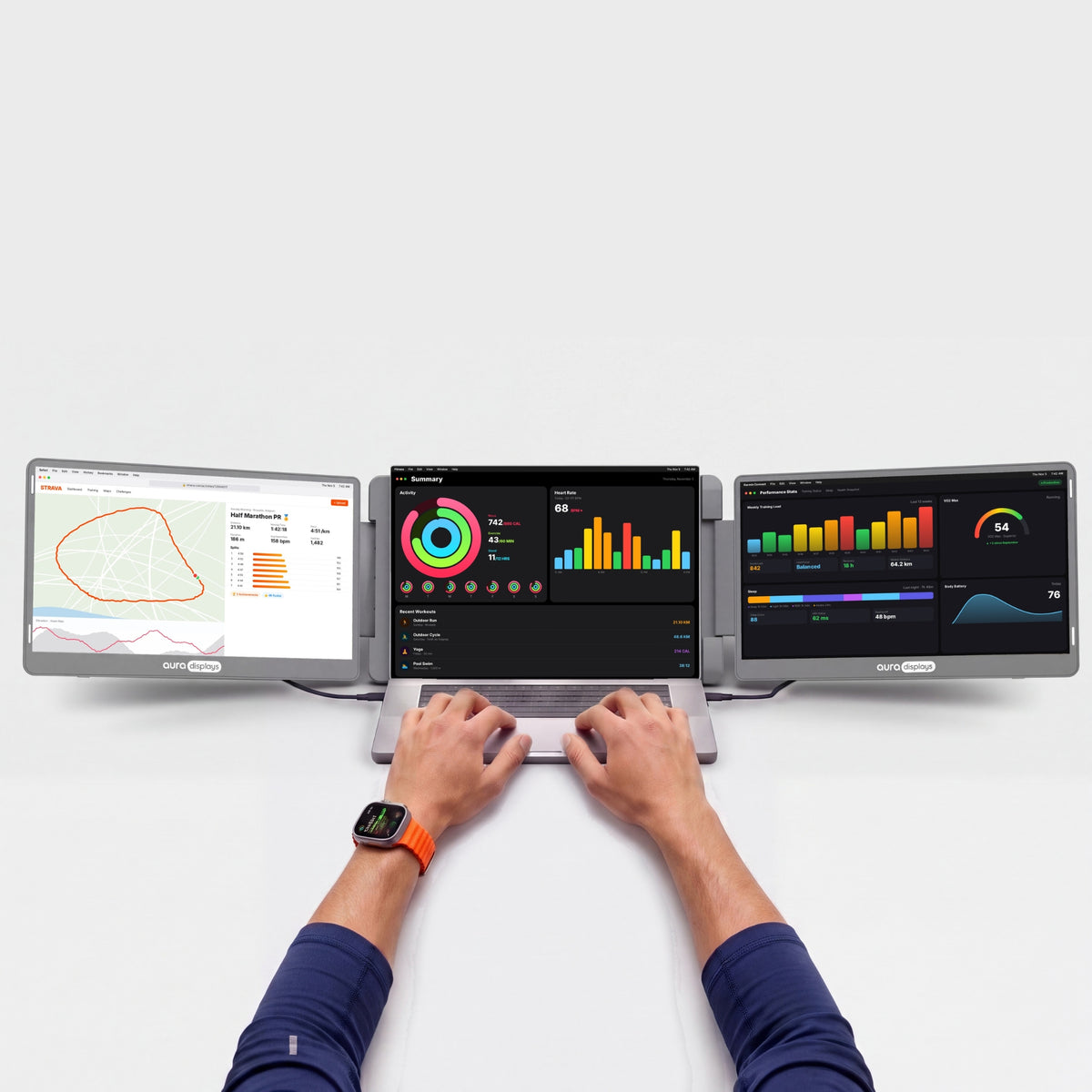
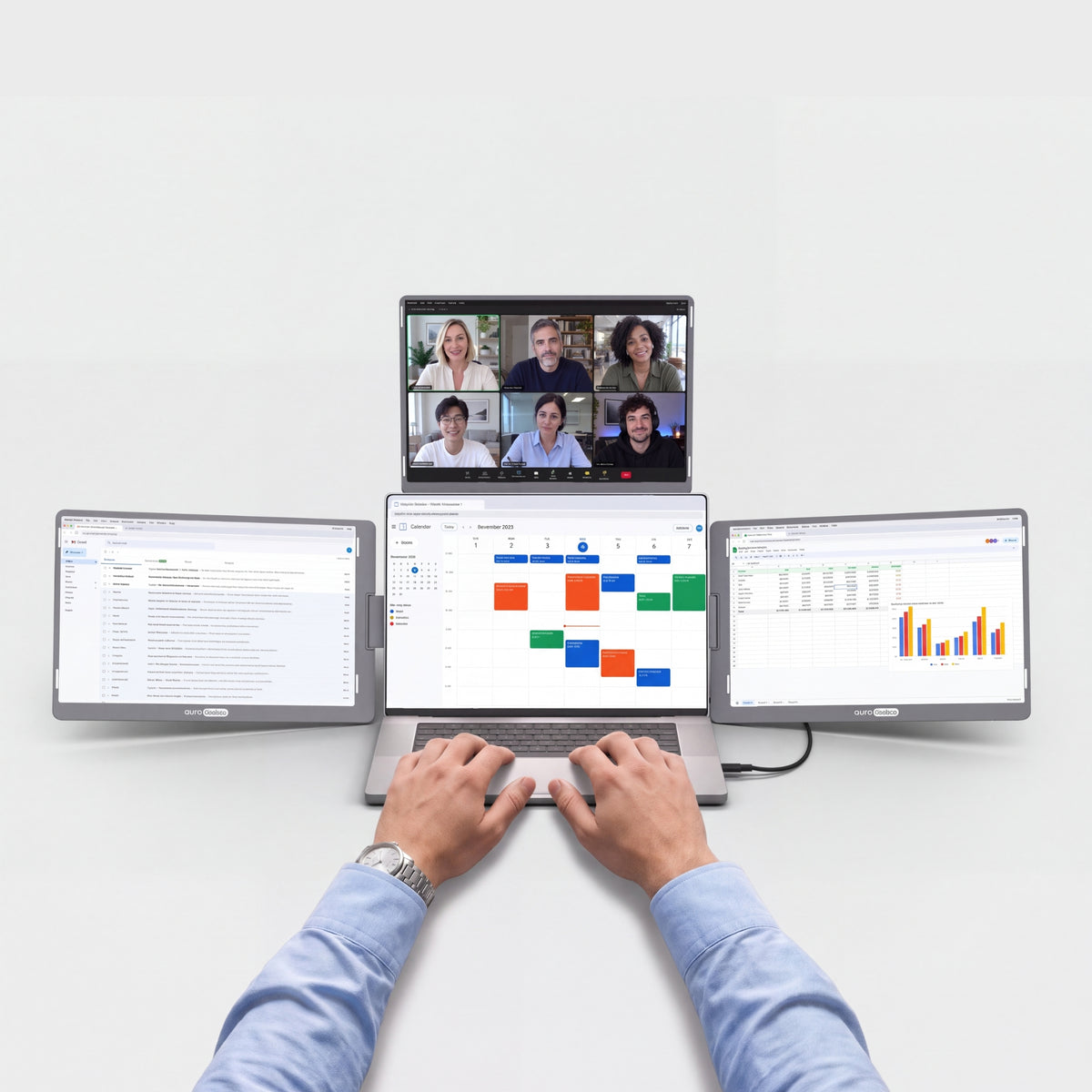
Dwa ekrany 14" w rozdzielczości QHD 2.5K (2560 × 1600) obok laptopa, na własnej podstawie – nic nie przypinasz do klapy laptopa. Ostrzejszy tekst i 100% sRGB do pracy kreatywnej, programowania i długich dokumentów, a format 16:10 daje więcej miejsca w pionie niż standardowe ekrany. Po złożeniu ekrany są zwrócone do środka i chronione, a cały zestaw mieści się w standardowym plecaku na laptopa. Pasuje do laptopów od 10" do 16". Każdy ekran łączy się osobnym kablem, więc laptop potrzebuje dwóch wyjść wideo: dwóch portów USB-C z obsługą wideo, jednego USB-C i jednego HDMI albo dwóch HDMI. Przez USB-C monitor działa na zasilaniu z laptopa, więc nie musisz nosić zasilacza. Przy HDMI podłącz dołączony kabel zasilający USB do laptopa lub dowolnej ładowarki o mocy co najmniej 15W. Wszystkie kable są w zestawie. Lewy ekran obraca się do 245°, a prawy do 205° – do układu panoramicznego lub pionowego – albo odwróć jeden z nich do osoby naprzeciwko. Wbudowana podpórka ustawia się pod wybranym kątem. Matowe matryce IPS z trybem redukcji światła niebieskiego zapewniają komfort przez cały dzień. Plug & Play, bez instalowania oprogramowania. Działa z macOS, Windows i Androidem, a na jednym ekranie może powielać obraz z iPhone'a.
Zawartość zestawu
Zawartość zestawu
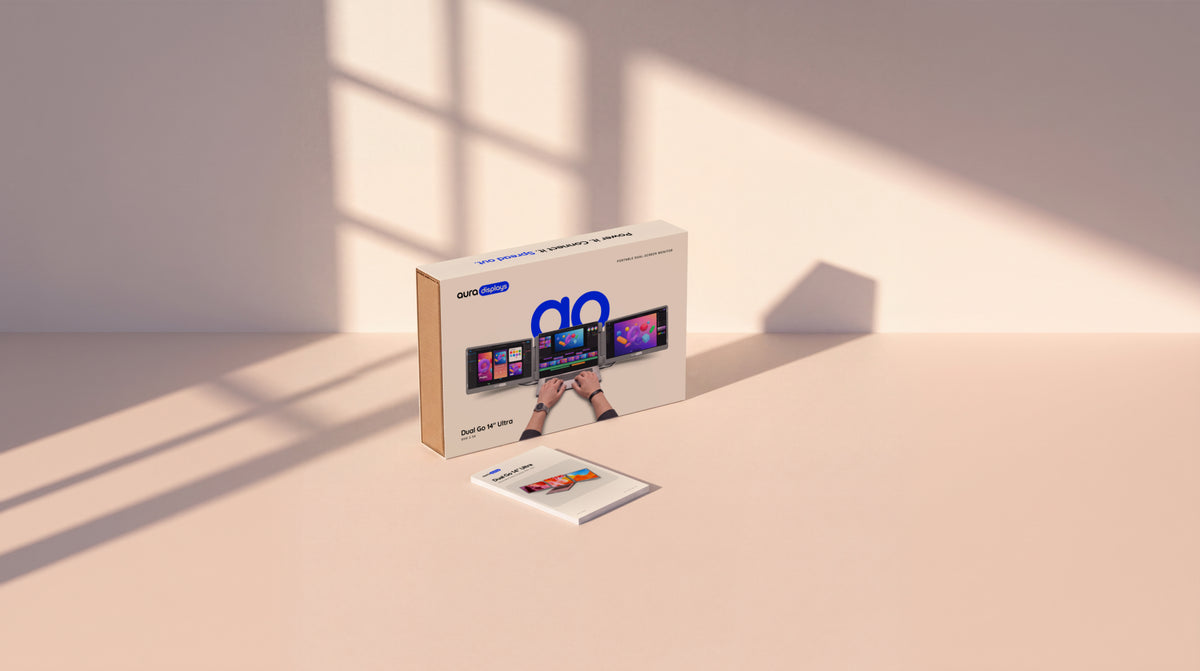
- 1x Dual Go 14” Ultra (QHD 2.5K)
- 2x kabel USB-C – USB-C, obraz i zasilanie (60 cm)
- 1x kabel USB-C z adapterem USB-A, zasilanie (90 cm)
- 1x kabel Mini HDMI – HDMI (90 cm)
- 1x instrukcja obsługi
Sterowniki i instrukcja obsługi
Sterowniki i instrukcja obsługi
Plug & Play. Bez instalowania sterownika: podłącz kabel, a monitor się włączy.
Dostawa, zwroty i gwarancja
Dostawa, zwroty i gwarancja
Dostawa. Zamówienia opuszczają nasz magazyn w ciągu 1–3 dni roboczych i docierają średnio w 5–8 dni. Czas może się różnić w zależności od dostępności i miejsca docelowego: aktualny termin dostawy tego produktu jest zawsze widoczny na tej stronie, tuż nad przyciskiem Dodaj do koszyka. Bezpłatna dostawa dla zamówień powyżej $100. W USA, UE, Wielkiej Brytanii i Australii podatki i cła są wliczone w cenę: przy odbiorze nic nie dopłacasz. Podany czas dostawy to szacunek oparty na naszych wcześniejszych wysyłkach i aktualnych stanach magazynowych.
Gdzie jest moje zamówienie? Śledź przesyłkę w czasie rzeczywistym, podając numer zamówienia i adres e-mail.
14 dni na bezpłatny zwrot. Nie do końca to, czego szukasz? Zwróć lub wymień produkt bezpłatnie w ciągu 14 dni od dostawy: otwórz pudełko, przetestuj i odeślij komplet w oryginalnym opakowaniu z opłaconą etykietą. Zwracamy pieniądze, gdy tylko przewoźnik zeskanuje Twoją paczkę. Pełne warunki znajdziesz w naszych zasadach zwrotów.
1 rok gwarancji. Jeśli Twój monitor jest wadliwy, prześlij nam zdjęcie lub wideo – bezpłatnie go naprawimy lub wymienimy. Klienci z UE korzystają dodatkowo z 2-letniej rękojmi ustawowej. Zobacz sekcję o gwarancji w naszych zasadach zwrotów.
Pytania przed zakupem lub po nim? hello@aura-displays.com · +1 (213) 845-0774 · Prawdziwi ludzie, codziennie 9:00–16:00 ET.
Uwaga dotycząca grafik: Rendery 3D mają charakter poglądowy i mogą nieznacznie różnić się od rzeczywistego produktu. Wszystkie zweryfikowane dane znajdziesz w specyfikacji technicznej na dole tej strony.

Dlaczego go pokochasz.


Przed


Po


Dwa ekrany. Jedna szeroka przestrzeń robocza.
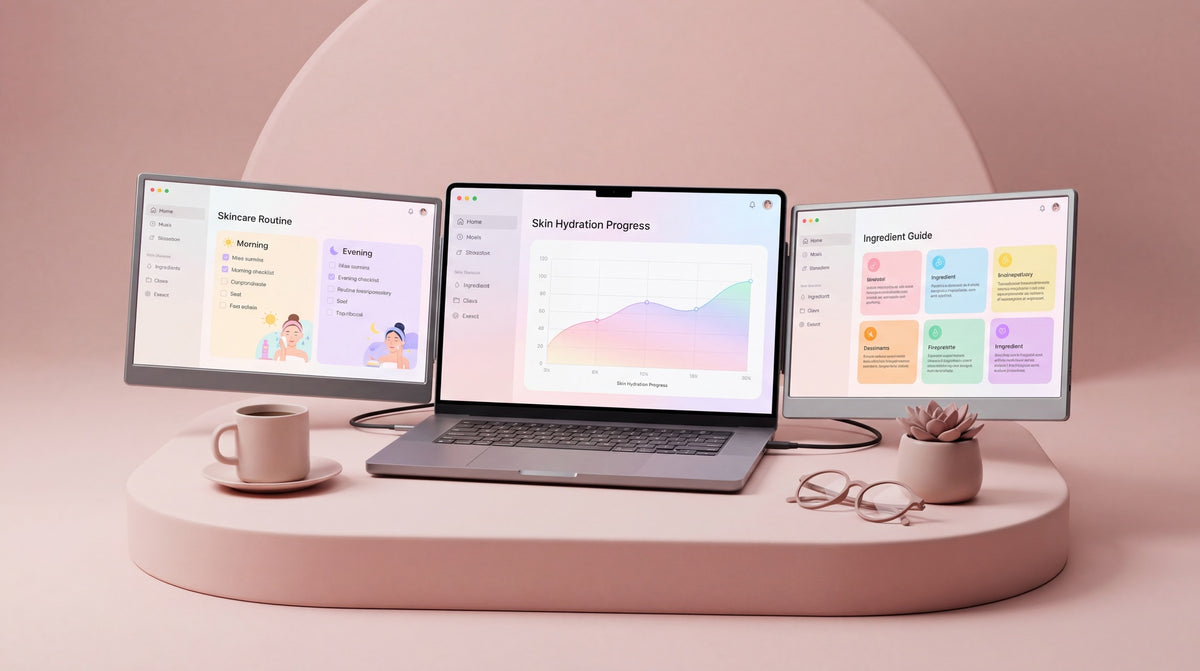
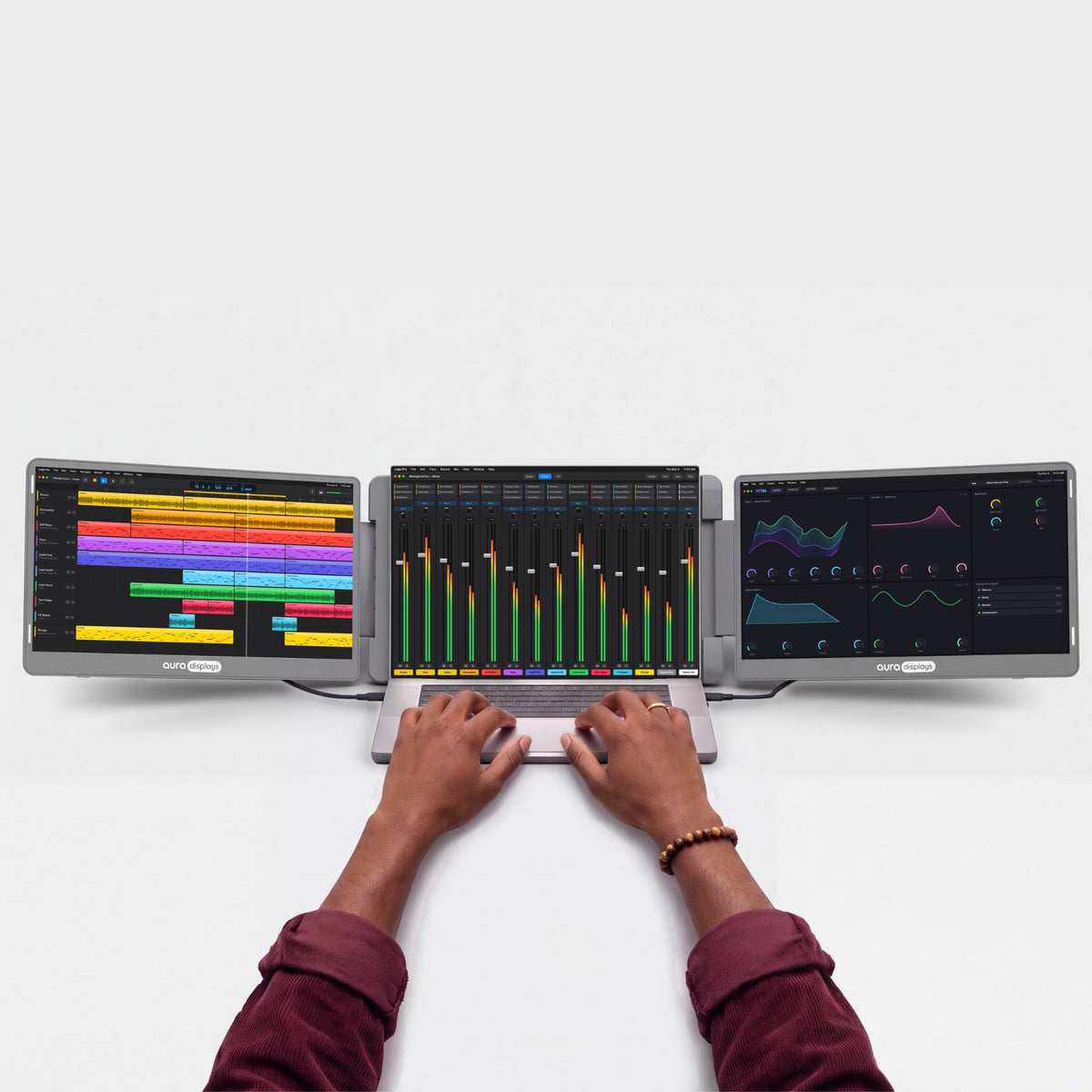
Rozłóż Dual Go 14" Ultra obok laptopa i zyskaj jedną szeroką przestrzeń roboczą. Aby coś zaprezentować, obróć ekran w stronę osoby po drugiej stronie stołu.


Laptop & Portable Monitor Sleeve
Twój laptop nigdy nie miał pracować sam.
Dwa dodatkowe ekrany zmieniają każde biurko w prawdziwe stanowisko pracy.

Gdy kończysz pracę, ekrany składają się z powrotem, a stół znów jest po prostu stołem.

Notatki, czat zespołu i wideorozmowa – wszystko na widoku jednocześnie. Koniec z przełączaniem kart. Po prostu poranek, w którym naprawdę wszystko załatwiasz.

Obróć ekran, aby pokazać swoją pracę osobie po drugiej stronie stołu. Omawiajcie projekt lub przeglądajcie razem zdjęcia bez obracania laptopa.
Ostry, jasny, wierny rzeczywistości.
Wyraźne detale w każdej linii kodu, każdym zdjęciu i każdym arkuszu. Wierne kolory, komfortowa jasność i płynny ruch – od pierwszego e-maila po ostatnią poprawkę dnia.


Standardowy


Ochrona wzroku


100% sRGB
Pełne pokrycie przestrzeni barw, na której zbudowano internet – to, co tu edytujesz, wszyscy inni zobaczą tak samo.

HDR
Wysoki zakres dynamiki: jaśniejsze światła, głębsze cienie i detale zachowane na obu krańcach.

Matowe wyświetlacze
Nieodblaskowa powierzchnia rozprasza światło z góry, zamiast odbijać je prosto w Twoje oczy.

Mniej niebieskiego światła
Wbudowany tryb ochrony wzroku filtruje niebieskie światło, więc nawet długa praca pozostaje komfortowa.

Stworzony do Twojego sposobu pracy.
Od domowego biura po pokój hotelowy – zobacz, jak inni dzięki Aura robią więcej.


Działa z tym, co już masz.
MacBook with M1 to M5 chips, Pro and Max included, Windows laptops and phones.
On M1, M2 and M3 MacBooks (non-Pro), an H5T adapter (sold separately) is required.



Twoje stanowisko przy każdym biurku.
Złóż, spakuj i rozłóż ponownie przy kolejnym biurku. W domu, w biurze czy w hotelu – za każdym razem masz to samo stanowisko z wieloma ekranami.

1.61 kg · 3.55 lb
Na tyle lekki, by przenosić go z biurka na biurko.

10" – 16.5"
Dopasowany do rozmiaru ekranu Twojego laptopa.

Standard laptop backpack
Składa się na płasko do podróży.

Kompozyt
Metalowe zawiasy, stworzone do rozkładania i składania raz za razem.
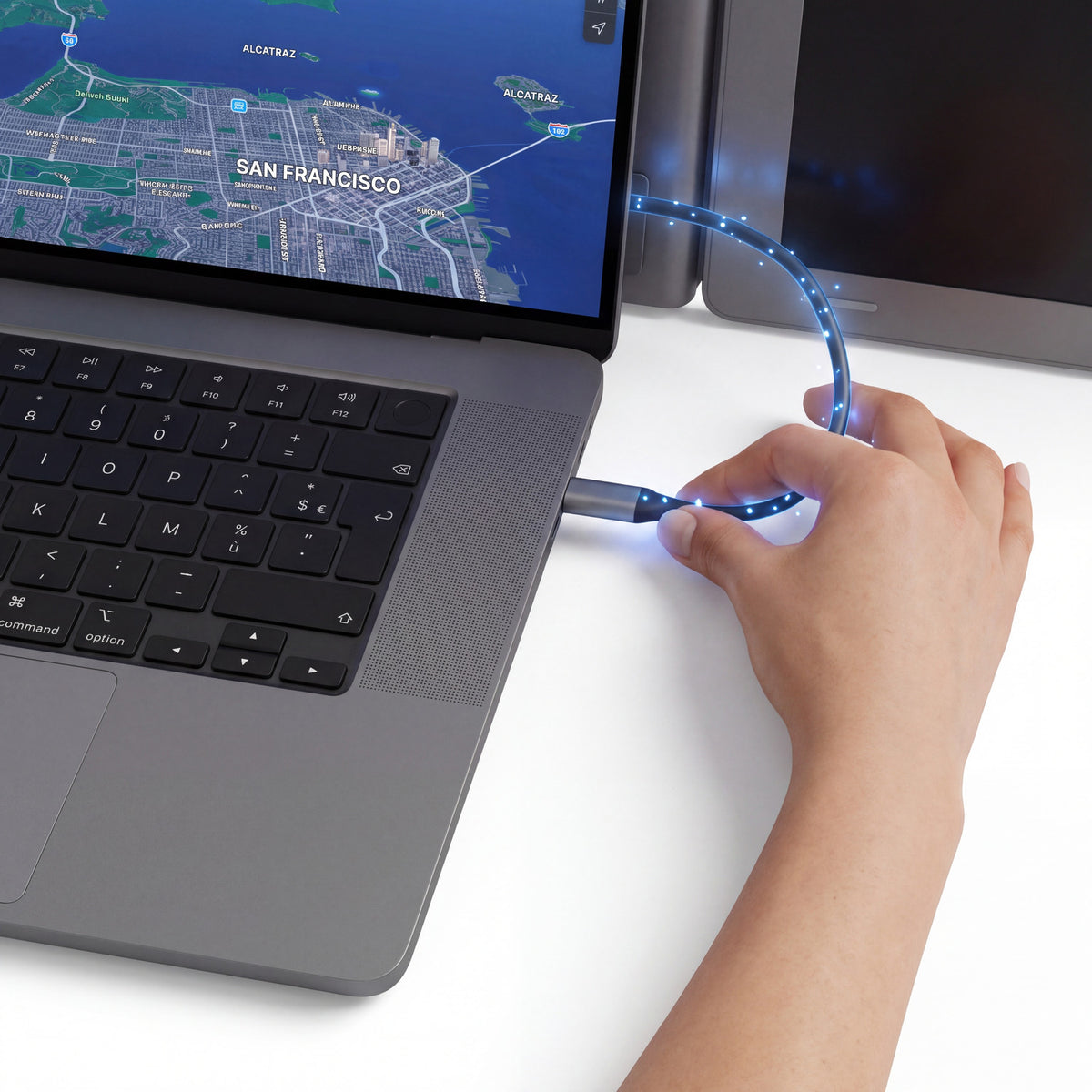
Porty i zasilanie.
Co gdzie podłączyć i czego potrzebuje Twój laptop, aby go obsłużyć.
4x USB-C i 2x mini HDMI w monitorze
Po stronie laptopa: 2 wyjścia wideo (USB-C lub HDMI), po jednym na ekran.
Zasilany przez laptop
Bez gniazdka elektrycznego: ekrany są zasilane z Twojego laptopa.
Ładuje też Twój laptop
Podłącz ładowarkę do monitora: zasila ekrany i jednocześnie doładowuje laptop.

Sterownik niepotrzebny
Podłączasz i działa. Nic do instalowania, nawet na laptopie służbowym.
Stworzony, by robić więcej.
Poznaj funkcje, dzięki którym ten monitor jest inteligentniejszy, bardziej wszechstronny i stworzony, by podnieść poziom Twojej pracy i tworzenia.

Każdy ekran wyświetla 2560 × 1600, więc widzisz więcej linii kodu, więcej wierszy i więcej każdej strony.

Ekrany składają się do środka, więc w torbie pozostają chronione.

Podstawka jest wbudowana: ustaw monitor obok laptopa i dopasuj kąt. Nic do montowania, nic dodatkowego do noszenia.

Przeciągaj dowolne okno z laptopa na dowolny ekran i z powrotem. Rozszerz pulpit na wszystkie trzy ekrany albo powiel jeden ekran, aby pokazać to samo dwa razy.

Każdy ekran podłączasz osobnym kablem: USB-C z wideo albo mini HDMI z dołączonym kablem zasilającym USB. Użyj dwóch portów USB-C albo jednego USB-C i jednego HDMI.

Bez instalowania sterownika: podłącz kable, a oba ekrany się włączą – nawet na laptopie służbowym. W MacBooku z podstawowym czipem M1, M2 lub M3 drugi ekran wymaga adaptera H5T (sprzedawany osobno).

Podłącz iPhone’a lub telefon z Androidem z portem USB-C z wideo, aby wyświetlić jego obraz na jednym z ekranów.

Pochyl ekrany tak, aby ustawić je idealnie dla siebie.

Podłącz ładowarkę laptopa do monitora: zasila ekrany i jednocześnie doładowuje laptop.



Seria Go. Stworzone do wyjazdów.
Go Series to nasza lżejsza gama wieloekranowa – mniej do noszenia w dni, gdy pracujesz w nowym miejscu. Każdy ekran obraca się o pełne 180°, więc możesz skierować go do osoby naprzeciwko, nie ruszając laptopa.





Kalkulator produktywności
Zobacz, ile odzyskasz dzięki większej liczbie ekranów.
Mniej żonglowania oknami. Więcej czasu na samą pracę. Dopasuj liczby do swojego tygodnia.
Kopiowanie między dokumentami, porównywanie, rozmowa obok notatek, kod obok podglądu.
Wyłącznie szacunki. Wzrosty wydajności z opublikowanych badań odnosimy do części czasu, którą spędzasz na pracy z kilkoma oknami, i ostrożnie przeliczamy na zaoszczędzony czas (zadanie wykonane o 18% wydajniej zajmuje około 15% mniej czasu). Twoje wyniki będą zależeć od rodzaju pracy.
Źródła: Wichita State University SURL / IDC dla Dell (2015); Fraunhofer IAO OFFICE 21 dla Fujitsu Siemens; Jon Peddie Research Multi-Monitor Study (2017, dane deklaratywne); University of Utah dla NEC (2008); Microsoft Research, Czerwinski i in. (2003); Harvard Business Review (2022).


Czy to model dla Ciebie?
Czy Dual Go 14” Ultra to model dla Ciebie?
Dla Ciebie, jeśli
- Chcesz pracować wszędzie, nawet bez gniazdka elektrycznego
- Chcesz Plug & Play, bez żadnej instalacji
- Twój laptop ma od 10" do 16.5"
- Chcesz dwóch dodatkowych ekranów bez nieporęcznego zestawu
Wybierz inny model, jeśli
- Grasz głównie na konsoli — Porównaj modele
Display
Connectivity & power
Size & weight
Design & features
Warranty & certifications
Your laptop
Operating systems
Other devices
- 1×Dual Go 14” Ultra (QHD 2.5K)
- 2×kabel USB-C – USB-C, obraz i zasilanie (60 cm)
- 1×kabel USB-C z adapterem USB-A, zasilanie (90 cm)
- 1×kabel Mini HDMI – HDMI (90 cm)
- 1×instrukcja obsługi
Plug & Play
How to connect
Dwa kable, po jednym na ekran: 2× USB-C z wideo, 1× USB-C z wideo + 1× HDMI albo 2× HDMI. Nie działa z laptopami mającymi tylko USB-A.
- Plug & Play, no driverPlug it in and it works. No install, no admin rights.
- No power outlet neededRuns from your laptop’s USB-C port. No adapter to carry.
- Fits laptops 10"–16.5"Works with Windows, macOS, Android and iOS.Check compatibility in 30 s →
- Weighs 3.55 lb (1.61 kg)Folded: 13.62 × 8.62 × 1.56 in (346 × 219 × 39.6 mm). Fits in a standard laptop backpack.See lighter models →
Great product and really helps to elevate my productivity no matter where I am.

Hi Christopher,
Thank you for your kind words about our Dual Go 14” Ultra (QHD 2.5K)! We are thrilled to hear that it has been a valuable asset to your productivity, even on-the-go. We are always here to support you in any way we can. Thanks for choosing our product!
Best, David
Customer Service Team
Works as advertised. Plugged it into my laptop, and it just worked—no setup issues. It's great for editing documents.


Hi there,
Thank you for leaving such a positive review for our Dual Go 14” Ultra (QHD 2.5K) product. We are thrilled to hear that it worked seamlessly with your laptop and was helpful for editing documents without any setup issues. We appreciate your feedback and hope to continue providing products that meet your needs. Thank you again for choosing our product!
Best,
David
Customer Service Team
Super clear site that lets us know what we're buying. However, once I received the product I found that it was very large. I couldn't fit it in my backpack, which is a problem.

Hi Dunya, thank you for the great review! We're glad to hear that our website was helpful in informing you about the Dual Go 14” Ultra (QHD 2.5K). We apologize for any inconvenience caused by the size of the product. We value your feedback and will take it into consideration for future improvements. Thank you for choosing our product. Have a great day!
Great extra screen for taking notes while searching for information! Highly recommended.


Hi Amilie, thank you so much for leaving such a positive review for our Dual Go 14” Ultra (QHD 2.5K) product! We are thrilled to hear that it is helping you take notes while searching for information. Thank you for recommending it, we truly appreciate it! Have a great day.
I just wish i would have went with a larger one. Other then that its great!
Hi there,
Thank you for your feedback on our Dual Go 14” Ultra (QHD 2.5K)! We're glad to hear that you're enjoying it overall. If you ever decide to upgrade to a larger one, we have plenty of options available for you to choose from. Thank you for choosing our product!
Best,
David
Customer Support Team
I’m pleased to say it has resolved my mobility issues, It is a great piece of kit, easy to set up, lightweight and convenient to carry around.
Hi Jag,
We're thrilled to hear that the Dual Go 14” Ultra (QHD 2.5K) has resolved your mobility issues and that it's been a great addition to your life. We pride ourselves on creating products that are easy to set up, lightweight, and convenient for our customers to use. Thank you for your kind words and for choosing our product. We hope it continues to serve you well.
Best,
Customer Service Team
Once I was able to get the USB-C dock to have enough USB-C ports to connect everything, it was ok. However, the descriptions for these screens are not written for the 'average' user that is new to technology. It takes way too much power to run the two screens without shorting out the laptop battery. I went through 2 batteries before I realized I needed to buy a 100w charger along with a dock to run everything. My laptop didn't have all the ports needed to run audio and video and wouldn't work with my laptop without buying the extra power supply/dock needed to run everything. After having spent over $700 for the technology (this included the dual screens), I really like the set up.
I travel a lot for business. The Aura Dual Go 14” Ultra (QHD 2.5K) screen enables me to have the same screen set up I have at home when I am on the road.
Thank you Michael for your review of our Dual Go 14” Ultra (QHD 2.5K) product! We're glad to hear that the Aura Dual Go 14” Ultra (QHD 2.5K) screen has been a helpful solution for your business travels. It's great that you're able to have the same set up on the road as you do at home. We appreciate your feedback and hope to continue providing convenience and efficiency for your travels. Safe travels!
Very efficient when working with many reference sites- now I dont have to juggle tabs,
So far my best buy to make my work easy.
Kudos!
Thank you Cameline for your glowing review of our Dual Go 14” Ultra (QHD 2.5K)! We're so happy to hear that it has made your work easier and more efficient. Have you considered sharing a picture or video of how you use it? We would love to see it! Thanks again for choosing us. Happy working!
I’ve been using Aura Dual Go 14” Ultra (QHD 2.5K) monitors for a couple of weeks now. I travel a bit and these monitors are super easy to carry in my tote with my laptop and make a big difference to my productivity when compared to working on a 14” laptop screen only.
When I’m working from home, they allow me to move around the house, so I can enjoy sitting at my dining room table in the mornings (sunny position) rather than at my work desk.
Love, love, love em! High recommend for mobile professionals!
Hi Simeon!
Thank you so much for your kind words about our Dual Go 14” Ultra (QHD 2.5K) monitors. We're thrilled to hear that they have been a helpful tool for your productivity, both while traveling and working from home. We're glad to know that you appreciate the convenience and portability of the monitors, and that they have made a positive impact on your work routine. Thank you for recommending our product to other mobile professionals. We truly appreciate your feedback and support.
Happy working!
Best,
David
Customer Service Team
Nuuuuul
This was easy to unpack. Great instructions on setting it up and items possibly needed. I set it up in about 30 minutes and was using it as a dual screen. Having this triple screen (dual and laptop screen) is the best.
Hi Donna! Thank you for taking the time to leave us such a kind review. We're thrilled to hear that our Dual Go 14” Ultra (QHD 2.5K) has been a great addition to your laptop. We strive to provide easy-to-follow instructions and we're glad to hear that the setup process was a breeze for you. Enjoy your triple screen setup and let us know if you need any further assistance. Happy dual screening!
I wasn’t sure I needed a second monitor until I tried this. I use it in portrait mode while coding and it honestly helps me stay more focused. When I’m done, I switch it back to landscape and watch videos or scroll through PDFs. Build is solid, no lag, no weird flickering, and works seamlessly on both my work PC and Mac.
Absolutely love this. I travel a lot for work and this folds flat into my backpack. Whether I'm at a hotel, airport lounge, or coworking space, I’ve got a full dual-screen setup running in seconds. Clients are always impressed when I pop it out during a call. It feels like something every remote worker should own.
Bought this for my wife but I’ve ended up using it more than her. It’s so convenient for checking emails while watching videos.
Still works great after 2 months. No dead pixels, hinges hold well, and no weird flickering. Very happy.
This thing just simplified my workflow beyond belief. I work in architecture and constantly flip between reference files, renders, and client briefs. With this display, I’ve been able to reduce the mental load and just focus. Easy to travel with, fits in my backpack, and doesn’t require any extra charger.
Stable even on soft surfaces like my couch. Didn’t expect that.
This screen turned out to be way more useful than I thought. I'm a freelance developer and I usually work in cafés — being able to keep VS Code on my main screen and Slack or a browser window on the second makes me feel like I'm working from a full desk setup. No lags, solid build, and extremely portable.
Really easy to set up and works like magic with my Dell XPS. Wasn’t expecting it to be this light.
It’s made my daily Zoom calls a lot easier to manage. I keep my notes open without minimizing the video window.
Nice portable screen. I use it for work and sometimes to keep Netflix open on the side. Works great.
Bought one for work and ended up getting another for home. No issues at all.
Used it on a plane tray table with no issues. Game changer for travel work.
Takes my productivity to another level. Couldn’t go back to a single screen now.
One of the most useful tech purchases I’ve made. Great screen size, great portability, and honestly I’ve had no issues since day one. If you're working remote, this is a game-changer.
Solid screen. I work in customer support and keep Zendesk open on one side, tickets on the other. It's cut my response time down a lot.
Konfiguracja i pomoc
Pytania, na które nasz zespół odpowiada najczęściej – od pierwszego podłączenia
po dzień, w którym coś wygląda nie tak. Jeśli nie ma tu Twojego, napisz do nas:
odpowie prawdziwy człowiek.
Działają tylko niektóre ekrany albo któryś pozostaje czarny
Działają tylko niektóre ekrany albo któryś pozostaje czarny
Każdy ekran Dual Go wymaga własnego połączenia wideo z laptopem.
- Sprawdź, czy oba ekrany są podłączone: jeden kabel USB-C z wideo lub jeden kabel HDMI na ekran.
- Użyj portu USB-C laptopa obsługującego wideo albo portu HDMI – przy pierwszej konfiguracji bez huba i stacji dokującej.
- MacBook z podstawowym czipem M1, M2 lub M3 (nie Pro ani Max)? Obsługuje tylko jeden monitor zewnętrzny: drugi ekran wymaga adaptera H5T (sprzedawany osobno).
- Sprawdź, czy ciemny ekran jest ustawiony jako rozszerzony wyświetlacz (patrz pytanie o kolejność ekranów).
Jeden ekran nadal jest ciemny? Skontaktuj się z nami – obejmuje go gwarancja.
Wszystkie ekrany pozostają czarne / nic się nie włącza
Wszystkie ekrany pozostają czarne / nic się nie włącza
- Podłącz monitor bezpośrednio do laptopa – bez huba i stacji dokującej.
- Użyj portu USB-C, który przesyła obraz (wszystkie MacBooki, większość nowszych laptopów z Windows): port USB-C służący tylko do danych lub ładowania nie wyświetli obrazu.
- Przy połączeniu HDMI podłącz też dołączony kabel zasilający USB do ekranu i do portu USB lub ładowarki.
- Jeśli laptop nie dostarcza wystarczającej mocy przez USB-C, podłącz do monitora ładowarkę USB-C 15 W lub mocniejszą.
Nadal nic? Skontaktuj się z nami i prześlij krótkie wideo swojego zestawu – wady fabryczne są objęte gwarancją przez 1 rok.
Jak podłączyć go do laptopa?
Jak podłączyć go do laptopa?
Każdy ekran ma własne połączenie. Jeśli Twój laptop ma dwa porty USB-C z wideo, użyj dwóch dołączonych kabli USB-C – USB-C, po jednym na ekran: każdym kablem płyną obraz i zasilanie. Możesz też podłączyć jeden ekran przez HDMI dołączonym kablem mini HDMI – HDMI i kablem zasilającym USB, a drugi przez USB-C.
Laptopy wyposażone tylko w porty USB-A nie będą działać. Przy pierwszej konfiguracji unikaj hubów i stacji dokujących.
Czy potrzebuję sterownika?
Czy potrzebuję sterownika?
Nie. Oba ekrany działają w trybie Plug & Play na Macu, Windows i Linuksie (Ubuntu): podłączasz kable i się włączają. Jedynym wyjątkiem jest MacBook z podstawowym czipem M1, M2 lub M3: adapter H5T potrzebny mu do drugiego ekranu (sprzedawany osobno) korzysta z bezpłatnej aplikacji Silicon Motion.
Czy działa z moim MacBookiem, nawet z podstawowym M1, M2 lub M3?
Czy działa z moim MacBookiem, nawet z podstawowym M1, M2 lub M3?
Tak. Z czipem M1, M2 lub M3 Pro albo Max oraz z każdym MacBookiem z M4 lub M5 oba ekrany działają bez sterownika. MacBook z podstawowym czipem M1, M2 lub M3 obsługuje tylko jeden monitor zewnętrzny, więc działa tylko jeden ekran – chyba że dodasz adapter H5T (sprzedawany osobno), który korzysta z bezpłatnej aplikacji Silicon Motion. Potrzebujesz systemu macOS 11 Big Sur lub nowszego.
Mój laptop służbowy nie pozwala instalować oprogramowania
Mój laptop służbowy nie pozwala instalować oprogramowania
Żaden problem: Dual Go nie wymaga sterownika, więc działa na zarządzanych laptopach służbowych. Po prostu go podłącz. Aplikacji wymaga tylko adapter H5T do MacBooków z podstawowym M1, M2 lub M3.
Czy jest przenośny? Ile waży?
Czy jest przenośny? Ile waży?
Tak. Składa się w jedną całość ekranami do środka, waży około 1,61 kg / 3,55 lb i mieści się w standardowym plecaku na laptopa. W podróży trzymaj go w etui: obudowa rysuje się łatwiej niż w naszych innych modelach.
Jak go składać, żeby nie uszkodzić zawiasów?
Jak go składać, żeby nie uszkodzić zawiasów?
Otwieraj i zamykaj ekrany pojedynczo i nigdy nie dociskaj zawiasu poza jego ogranicznik. Noś go w etui lub w torbie.
Gdzie jest moja folia ochronna na ekran?
Gdzie jest moja folia ochronna na ekran?
W tym modelu nie jest zamontowane fabrycznie: szkła hartowane na ekrany otrzymujesz gratis do zamówienia i możesz je nałożyć, kiedy chcesz.
Z jakimi rozmiarami laptopów działa?
Z jakimi rozmiarami laptopów działa?
Z laptopami od 10" do 16", w tym z 16-calowymi MacBookami Pro. Dual Go stoi samodzielnie obok laptopa.
Ekrany są w złej kolejności albo jeden wygląda na rozmyty / mniejszy
Ekrany są w złej kolejności albo jeden wygląda na rozmyty / mniejszy
- Mac: Ustawienia systemowe › Wyświetlacze › Rozmieść. Windows: Ustawienia › System › Ekran.
- Przeciągnij ekrany tak, aby odpowiadały ich rzeczywistemu położeniu.
- Ustaw każdy ekran Dual Go na jego natywną rozdzielczość (2560 × 1600) i to samo skalowanie.
Czy mogę oglądać Netflix lub inne serwisy streamingowe?
Czy mogę oglądać Netflix lub inne serwisy streamingowe?
Łączy się jako standardowy monitor zewnętrzny przez USB-C lub HDMI, bez pośredniczącego sterownika wyświetlacza. Nie przetestowaliśmy jeszcze wszystkich serwisów streamingowych: jeśli któryś pozostaje czarny, odtwórz go na ekranie laptopa i skontaktuj się z nami.